
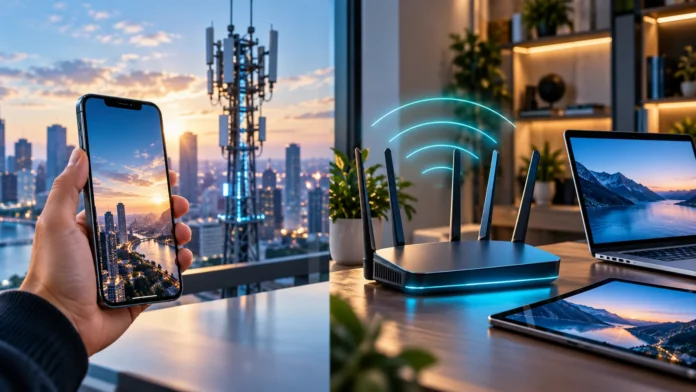

5G vs. Wi-Fi 7: Which Is Faster?
Wi-Fi 7 can deliver higher peak speeds than 5G under ideal conditions, especially when devices connect to a capable router over a strong local network. But those headline numbers do not tell you what speed you will get at home or on your phone. Real performance depends on your internet plan, signal quality, network congestion, device, and distance from the router or cell tower.
The main difference is where each technology connects you. Wi-Fi 7 links nearby devices to a wireless router, which usually connects to a fixed broadband service. 5G connects a phone or router to a mobile carrier’s network, allowing internet access while you move around within coverage.
For everyday use, the faster choice depends on the task and location. Wi-Fi 7 is often the better option for high-speed home networking when the broadband connection and equipment support it. 5G is more useful when you need mobile connectivity or a fixed internet alternative, and it can be faster than a congested or slow home connection.
How Theoretical Speeds Compare
Wi-Fi 7, also called IEEE 802.11be, has a theoretical maximum data rate commonly described as roughly 46 Gbps across multiple spatial streams. That figure represents ideal conditions and combines capacity available to compatible devices; a single phone, laptop, or internet plan will generally deliver much less. The actual rate depends on the router, client device, channel width, signal, and network setup.
5G standards include theoretical peak download rates of up to 20 Gbps under specific conditions. This is also a peak target, not the speed a typical subscriber should expect everywhere. A mobile connection’s actual performance can vary with the carrier, spectrum, cell capacity, signal, device, and number of people using the network.
These maximums make Wi-Fi 7 appear faster on paper, but comparing them directly can be misleading. Wi-Fi 7’s highest figures describe wireless network capacity in controlled conditions, while 5G performance depends on a carrier network and its available spectrum. For a fair comparison, look at real download speeds in the places and situations where you plan to connect.
What Affects Real-World Internet Speed?
Your internet plan can set the upper limit for downloads, even if your Wi-Fi router is capable of much more. For example, a multi-gigabit Wi-Fi 7 connection cannot deliver a multi-gigabit internet download if your broadband plan supplies a lower rate. The same principle applies to 5G: the phone cannot exceed the capacity available from its carrier connection.
Signal quality also matters. Walls, floors, distance, interference, and placement can weaken a Wi-Fi signal, while distance from a cell site, building materials, and local coverage can affect 5G. A speed test taken beside a router or outdoors near a cell tower may not reflect what you experience in a bedroom, office, or crowded area.
Network congestion can reduce speeds on both technologies. Many devices streaming or downloading at once can compete for Wi-Fi airtime, while busy hours can put pressure on a mobile cell. Your device’s network support matters too; an older phone or laptop cannot use features it was not built to handle.
Why Wi-Fi 7 Can Be So Fast
Wi-Fi 7 adds features designed to increase capacity and make connections more responsive. One major feature is support for wider 320 MHz channels in the 6 GHz band, where available. Wider channels can carry more data, but they require compatible routers and devices, and their benefits depend on local spectrum rules and the surrounding wireless environment.
Multi-Link Operation, or MLO, lets supported devices use more than one Wi-Fi band or channel link. This can help improve throughput, reliability, or responsiveness, depending on how the router and device coordinate the connection. Both ends need compatible support, so buying a Wi-Fi 7 router alone does not automatically give every older phone or laptop these benefits.
Wi-Fi 7 also improves how data is scheduled and transmitted across supported connections. These features can help households with many devices, high-resolution streaming, large downloads, and demanding local network tasks. They do not eliminate the limits of a slower broadband plan, weak router placement, interference, or a client device with lower Wi-Fi capabilities.
Why 5G Speeds Vary by Location
5G is not one uniform radio signal. Carriers use different spectrum bands, and the band available in a particular location influences coverage, speed, and indoor performance. Lower-frequency signals can travel farther and penetrate buildings more effectively, while higher-frequency spectrum can offer more capacity over shorter distances.
Mid-band 5G often aims to balance speed and coverage, while millimeter-wave deployments can provide very high speeds in limited areas. The fastest connection may be available only near specific cell sites and may not reach indoors consistently. Your carrier’s network design and local deployment determine which type of 5G performance you can actually access.
The phone itself affects the result. Different models support different frequency bands, antenna designs, and carrier features, which can change performance in the same location. If a 5G phone frequently falls back to 4G or gets weak reception indoors, the issue may be coverage, device support, or carrier configuration rather than a general limit of 5G technology.
Which Has Lower Latency for Gaming?
Latency measures how long data takes to travel between your device and a server. Both Wi-Fi 7 and 5G can support responsive connections, but neither guarantees low ping in every situation. Your distance from the game server, internet routing, network load, and signal quality can matter as much as the wireless standard.
Wi-Fi 7 may provide a stable low-latency connection for gaming at home when the router is nearby and the broadband service is reliable. A wired Ethernet connection can be more consistent for a desktop or console, since it avoids wireless interference between the device and router. For Wi-Fi, placing the router well and reducing congestion can help.
5G can work well for mobile gaming or when home broadband is unavailable, but performance can change as you move between cells or as local traffic increases. Try gaming in the place and at the time you normally play, then compare latency and packet loss rather than relying only on download speed. A high Mbps result does not always mean a smooth game.
Coverage, Range, and Mobility
Wi-Fi 7 is intended for a local network, such as a home, office, or campus. It can provide very high speeds near a suitable router, but the signal weakens with distance and obstacles. Larger spaces may need additional access points or a mesh system to provide consistent coverage throughout the building.
5G is designed to keep devices connected over a much broader area. A phone can use the mobile network while commuting, traveling, or moving between places, provided the carrier has coverage. The connection may switch between cell sites as you move, and speed can change during that transition or when the signal becomes weaker.
For a fixed location, the better coverage depends on the actual setup. A well-placed Wi-Fi 7 router can outperform an indoor 5G signal, while a strong 5G connection can be more reliable than weak Wi-Fi at the edge of a house. Test the spots where you use the internet most instead of assuming one technology always has better range.
Which Is Better for a Home Network?
Wi-Fi 7 is a strong choice for a home with fast fiber or cable broadband and compatible devices. It can support high-speed downloads, 4K or 8K streaming, video calls, cloud backups, and multiple connected devices. The largest benefit comes when your router, client devices, and internet service all support high throughput.
A Wi-Fi 7 router may not be necessary if your broadband plan is modest or most of your devices use older Wi-Fi standards. Older phones and laptops can still connect to many newer routers, but they will not receive every Wi-Fi 7 feature. Consider the network you need today and whether you have compatible devices before paying for a premium upgrade.
5G home internet can be a practical alternative if fixed broadband is unavailable, unreliable, or expensive in your area. It uses a 5G gateway or router to connect the home to the carrier network. Performance depends on signal strength, congestion, plan terms, and where you place the gateway, so test service availability before replacing a wired connection.
Which Is Better for Phones and Travel?
For a smartphone outside the home, 5G is usually the more useful technology because it provides mobile network access without depending on a nearby personal router. It supports maps, messaging, streaming, and work apps while you are away. Your experience depends on carrier coverage, plan limits, device compatibility, and how busy the network is.
Wi-Fi 7 is valuable when your phone is connected to a compatible router at home or another supported local network. It can be excellent for large downloads, streaming, and syncing when the router and broadband plan are capable. But it does not replace cellular service when you leave the Wi-Fi coverage area.
Many users benefit from having both rather than choosing only one. A phone can use Wi-Fi at home and switch to 5G while traveling, while laptops and smart home devices rely mostly on Wi-Fi. The best setup depends on how often you travel, your home broadband quality, and how much mobile data your plan includes.
Cost, Equipment, and Compatibility
Wi-Fi 7 requires a compatible router or access point to create a Wi-Fi 7 network, and you need a compatible device to use its newest features. Router prices vary, and replacing working equipment may not be worthwhile if your current Wi-Fi meets your needs. Check your internet provider’s equipment, broadband plan, and device specifications before upgrading.
5G requires a carrier plan and a compatible phone, hotspot, or home internet gateway. If your existing phone supports 5G, mobile access may already be included in your plan, though data limits, deprioritization, or hotspot restrictions may apply. For home 5G, check the service address and expected coverage before buying a gateway or changing providers.
Compatibility is not all-or-nothing. A Wi-Fi 7 router can usually serve devices with earlier Wi-Fi generations, but those devices connect using the capabilities they support. Likewise, a 5G phone can fall back to earlier cellular networks where 5G coverage is unavailable, depending on the carrier and network configuration.
How to Choose Between 5G and Wi-Fi 7
Choose Wi-Fi 7 if you need a fast local network for a home or office and have broadband service capable of delivering high speeds. It is especially useful when several compatible devices share the network or when you move large files between devices. Strong placement, a suitable internet plan, and client compatibility are key to seeing its benefits.
Choose 5G if you need internet while moving around, want a backup connection, or need a home internet option where fixed broadband is limited. Check real coverage at your home, workplace, or travel routes, because a plan advertised as 5G may perform differently from one address to another. Ask about data limits and hotspot terms before relying on it.
If you are unsure, compare measured results instead of theoretical maximums. Run speed tests on your current Wi-Fi and 5G connection at different times and in the rooms or locations that matter. Note download speed, upload speed, latency, and reliability, then choose the technology that best fits your real use rather than the biggest number on a product page.
Conclusion
Wi-Fi 7 has higher theoretical peak capacity than 5G and can be exceptionally fast on a well-equipped local network. 5G offers broader mobile coverage and lets you stay connected while away from home. Real-world speed depends on signal, congestion, device support, router or cell capacity, and the internet service behind the connection.
For home broadband, Wi-Fi 7 is often the better fit when you have fast service and compatible devices. For travel, mobile use, or a fixed wireless alternative, 5G may be more practical. Many households use both: Wi-Fi for local connections and 5G for mobile access or backup.
The fastest choice is the one that performs best where and how you need it. Check device compatibility, compare actual speeds, and consider latency, coverage, cost, and data limits. The theoretical speed figures are useful for understanding each technology’s potential, but they should not replace a real-world test.
FAQs
Is Wi-Fi 7 faster than 5G?
Wi-Fi 7 has a higher theoretical peak data rate, but actual speeds depend on equipment, signal, and internet service. In a specific location, a strong 5G connection can outperform weak or congested Wi-Fi.
What is the maximum speed of Wi-Fi 7?
Wi-Fi 7 is often associated with theoretical rates of roughly 46 Gbps across multiple spatial streams. Individual device speeds are typically lower and depend on router, device, channel, and network conditions.
What is the maximum speed of 5G?
The 5G standard includes peak download targets up to 20 Gbps under specific ideal conditions. Actual mobile speeds vary widely by carrier, spectrum, coverage, device, and network traffic.
Is 5G better than Wi-Fi 7 for gaming?
Neither is always better. Wi-Fi 7 can be responsive on a stable home network, while 5G offers mobile play. Compare ping and reliability at the location where you play.
Do I need Wi-Fi 7 if I already have 5G?
Not necessarily. Wi-Fi 7 is for a local network and can serve compatible home devices, while 5G provides cellular connectivity. Choose based on your broadband speed, coverage needs, devices, and budget.




