

What Is Multi-Factor Authentication? Complete Guide
Passwords have protected digital accounts for decades, but passwords alone are increasingly unable to provide enough security. Phishing attacks, data breaches, credential theft, malware, and password reuse can expose login information without users realizing it. Multi-factor authentication, commonly called MFA, addresses this weakness by requiring additional proof of identity before someone can access an account, application, device, or business system.
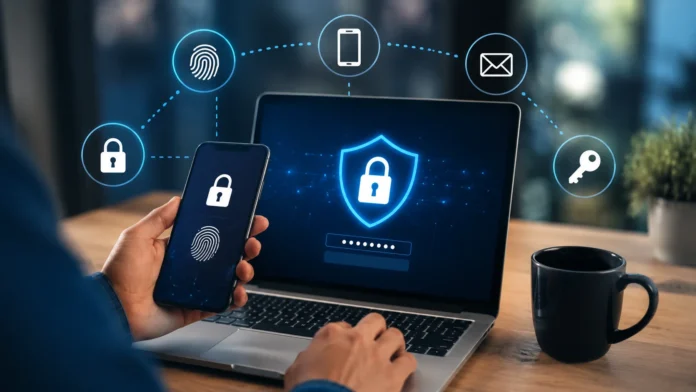
For most people, MFA appears as an additional step after entering a password. You may receive a temporary verification code, approve a notification on your smartphone, scan your fingerprint, use facial recognition, or connect a physical security key. Although this adds a few seconds to the login process, it creates another barrier that attackers must overcome before they can gain unauthorized access.
Multi-factor authentication is now widely used across email services, banking platforms, cloud applications, social media accounts, corporate networks, password managers, and online marketplaces. Businesses also use MFA to secure remote workers, administrative accounts, customer data, and sensitive business systems. As more personal and professional activities move online, stronger identity verification has become an essential part of modern cybersecurity.
Understanding what multi-factor authentication is and how it works can help you protect your accounts more effectively. This guide explains authentication factors, different MFA methods, the difference between MFA and 2FA, common security risks, implementation practices, and how individuals and organizations can choose authentication methods that provide strong protection without creating unnecessary inconvenience.
What Is Multi-Factor Authentication?
Multi-factor authentication is an identity verification method that requires a user to provide two or more independent authentication factors before gaining access to an account or system. Instead of relying only on something you know, such as a password, MFA combines different forms of evidence. This makes unauthorized access considerably harder when one credential has already been stolen, guessed, leaked, or compromised.
The main idea behind MFA is that different authentication factors should come from separate categories. A password and PIN, for example, are both knowledge-based credentials, so combining them does not necessarily create true multi-factor authentication. A password combined with a smartphone verification code, fingerprint, security key, or another possession or biometric factor provides stronger authentication because the factors are independent.
Imagine that an attacker obtains the password to your email account after you enter it on a fake login page. If your account relies only on a password, the attacker may immediately attempt to sign in. When MFA is enabled, the attacker must also pass another verification step, such as providing a security key or confirming a request on a trusted device.
MFA therefore reduces reliance on passwords as the only security barrier. It does not make an account impossible to compromise, but it can significantly reduce the effectiveness of stolen credentials and automated attacks. For this reason, multi-factor authentication has become an important component of identity and access management, account protection, cloud security, remote work security, and modern cybersecurity strategies.
How Does Multi-Factor Authentication Work?
The MFA process normally starts when you attempt to sign in to an account using your username or email address and password. The system verifies whether those credentials are correct, but successful password verification does not automatically provide access. Instead, an MFA-enabled service asks for an additional authentication factor that has previously been registered and associated with your identity.
The second verification step depends on the security options supported by the service. You might enter a temporary one-time password generated by an authenticator app, approve a push notification, scan your fingerprint, use facial recognition, insert a security key, or authenticate through another trusted device. Some higher-security environments may require three or more authentication factors before granting access.
Once the additional authentication factor has been verified, the system determines whether the authentication requirements have been satisfied. The account may then grant access and establish a secure session. Depending on the platform, the service can remember a trusted device temporarily, while sensitive actions such as changing passwords, transferring money, or modifying security settings may trigger another verification request.
Modern authentication systems can also use contextual information when determining whether additional security is necessary. Factors such as device reputation, IP address, approximate location, login behavior, and risk level may influence the authentication process. This approach, sometimes associated with adaptive authentication, helps organizations increase security for suspicious activity while reducing unnecessary verification during routine, low-risk login attempts.
What Are the Main Authentication Factors Used in MFA?
The first major authentication category is something you know, which includes information that should be known only by the legitimate user. Common examples include passwords, PINs, passphrases, and answers to certain security questions. Knowledge factors are familiar and convenient, but they can be vulnerable to phishing, weak password choices, credential stuffing, brute-force attacks, and password reuse across multiple online services.
The second category is something you have, meaning a physical or digital object that belongs to the user. Examples include smartphones, authenticator applications, smart cards, physical security keys, and trusted devices. This factor strengthens account security because an attacker who steals your password would also need access to the registered device or token before being able to complete the authentication process.
The third category is something you are, which involves biometric characteristics associated with an individual. Fingerprints, facial recognition, iris scanning, and other biometric methods can be used as authentication factors depending on the device and system. Biometrics can make authentication convenient because users do not need to remember additional information, although biometric data must be implemented and protected carefully by the underlying platform.
Some advanced systems may also consider factors related to location or user behavior. Where you are can include approximate geographic location or network environment, while behavioral authentication may examine typing patterns, device usage, or other signals. These signals are often used as part of risk-based authentication rather than as traditional standalone factors, helping security systems identify unusual login attempts and request additional verification when appropriate.
What Are the Most Common Types of MFA?
One of the most familiar MFA methods uses SMS or phone-based verification codes. After entering a password, the user receives a temporary code through a text message and enters it on the login screen. This method is easy to understand and widely available, but it is generally weaker than some modern alternatives because attackers may attempt SIM-swapping, social engineering, message interception, or real-time phishing.
Authenticator apps provide another widely used MFA option. These applications generate time-based one-time passwords, commonly called TOTP codes, that change after a short period. The codes are usually generated directly on the registered device and do not depend on receiving a text message. This makes authenticator apps a popular security upgrade for email, cloud accounts, social platforms, password managers, and workplace applications.
Push-based authentication sends a login request to a trusted smartphone or device. The user reviews the request and either approves or rejects it. This can be faster than typing a verification code, although users must pay attention to unexpected requests. Features such as number matching and login context can strengthen push authentication by reducing the likelihood of users accidentally approving fraudulent login attempts.
Physical security keys and passkey-related technologies offer stronger resistance to many phishing attacks. Hardware keys can use standards such as FIDO2 and WebAuthn to verify the legitimate website before completing authentication. Because they are designed to resist credential phishing and replay attacks, security keys are particularly valuable for administrators, executives, developers, financial accounts, and anyone who needs stronger protection against sophisticated account takeover attempts.
Multi-Factor Authentication vs Two-Factor Authentication
Multi-factor authentication and two-factor authentication are closely related, which is why the terms are frequently confused. Two-factor authentication, or 2FA, specifically requires two independent authentication factors. MFA is a broader category that requires two or more factors. This means that every properly implemented two-factor authentication system qualifies as MFA, while MFA can sometimes involve more than two authentication factors.
For example, a login process that requires a password followed by an authenticator app code uses two distinct factors and therefore qualifies as both 2FA and MFA. A highly secure system might require a password, physical security key, and biometric confirmation. That process contains three authentication factors, so it is MFA but would not normally be described specifically as two-factor authentication.
It is also important to distinguish authentication factors from authentication steps. A system that asks for a password and then requests a PIN may involve two separate steps, but both credentials belong to the knowledge category. True MFA is stronger because it combines separate factor categories, such as something you know with something you have or something you are.
For everyday users, the terminology matters less than the protection provided by the actual authentication method. When choosing security settings, focus on whether the system requires independent verification methods and how resistant those methods are to phishing or credential theft. A strong MFA setup should prevent a stolen password from being enough to gain immediate access to your account.
Why Is Multi-Factor Authentication Important?
MFA is important because passwords are frequently compromised. Users can lose passwords through phishing pages, malware, data breaches, social engineering, credential-stealing software, and insecure websites. Even strong passwords can become exposed when a service suffers a breach. Adding another authentication factor reduces the chance that the stolen password alone will allow someone to access the account.
Password reuse creates another major security problem. When people use the same credentials across multiple websites, attackers can take login details stolen from one platform and test them elsewhere in automated credential stuffing attacks. MFA makes these attacks less effective because valid usernames and passwords still do not provide the additional authentication factor required for successful access.
MFA is particularly valuable for accounts that can unlock other services. A compromised email account, for example, may allow an attacker to request password resets for banking platforms, social media profiles, cloud storage, and online shopping accounts. Similarly, access to a password manager can expose many credentials at once. Protecting these high-value accounts with stronger authentication helps secure a much larger part of your digital identity.
Organizations face similar risks on a larger scale. Employees access business email, cloud platforms, financial systems, customer databases, project management tools, and administrative dashboards every day. If a single employee password is compromised, an attacker may attempt to move deeper into company systems. MFA provides another security barrier and can reduce the likelihood that stolen credentials immediately become a successful business network intrusion.
How MFA Protects Against Common Cybersecurity Threats
MFA provides useful protection against password theft because knowing the password no longer completes the login process. If an attacker discovers a password through a data breach or malware infection, they still need another registered authentication factor. This additional requirement can stop many straightforward account takeover attempts before the attacker reaches sensitive information or account controls.
Credential stuffing becomes more difficult for the same reason. Attackers may possess millions of username-and-password combinations from previous breaches and automatically test them across popular online services. MFA prevents many valid credential combinations from being sufficient because the attacker’s automated system cannot easily produce the user’s physical security key, biometric verification, authenticator device, or approved authentication prompt.
MFA can also reduce the effectiveness of traditional phishing attacks where users unknowingly give their passwords to fake websites. However, some authentication methods are more phishing-resistant than others. Temporary codes can potentially be captured and used quickly by sophisticated attackers, while security keys and modern authentication standards can verify the website itself and provide stronger protection against fraudulent login pages.
Another advantage of MFA is that unexpected verification requests can act as security warnings. If you receive an authentication code or approval request when you are not signing in, someone may already have your password. Rejecting the request and changing your password immediately can prevent access while alerting you that your credentials may have been compromised and require additional security action.
Is Multi-Factor Authentication Completely Secure?
Multi-factor authentication offers strong protection, but no authentication system should be considered completely invulnerable. The effectiveness of MFA depends heavily on the specific authentication methods being used. SMS codes, temporary app codes, push notifications, security keys, and biometric systems each have different strengths and weaknesses. Choosing a stronger method can significantly improve protection against more advanced cyber threats.
Attackers may attempt real-time phishing, where a fake website collects a password and immediately asks for the temporary MFA code. The attacker can then forward those credentials to the legitimate website before the code expires. Some sophisticated attacks may also steal authenticated browser sessions, allowing criminals to bypass parts of the normal login process after authentication has already occurred.
Push-based MFA can face a threat known as MFA fatigue or push bombing. An attacker who already has a victim’s password may repeatedly trigger authentication prompts, hoping the user eventually approves one out of confusion or frustration. Number matching, contextual login information, and user awareness can reduce this threat by making fraudulent authentication requests easier to recognize and reject.
The strongest approach is to combine MFA with additional cybersecurity practices rather than depending on it alone. Use unique passwords, keep software updated, avoid suspicious login links, protect recovery methods, and monitor account activity. When available, use phishing-resistant authentication such as security keys or properly implemented passkeys, especially for accounts containing sensitive personal, financial, or business information.
What Is Adaptive Multi-Factor Authentication?
Adaptive multi-factor authentication is a security approach that changes authentication requirements based on the level of risk associated with a login attempt. Instead of requiring the same verification process every time, the system evaluates contextual information such as device, location, IP address, login behavior, and previous activity. Higher-risk situations can trigger stronger identity verification before access is allowed.
For example, logging in from your usual laptop on your normal network may be considered relatively low risk. The system might allow access after standard authentication or minimize additional challenges. If the same account suddenly attempts to sign in from an unfamiliar device in a new geographic location, the platform may request an additional factor or block the attempt until identity can be verified.
Adaptive authentication can improve the user experience because it reduces unnecessary friction during normal activity while maintaining stronger security when something unusual occurs. Employees and customers do not necessarily need to complete several verification steps every time they access a familiar service. Instead, additional authentication is introduced when the system detects signals that suggest the login could be suspicious.
Organizations increasingly use risk-based authentication as part of broader identity security strategies. It can be especially useful for cloud applications, remote workers, financial services, enterprise networks, and privileged accounts. However, adaptive MFA still depends on accurate risk assessment and secure authentication methods, so it should complement rather than replace strong passwords, phishing-resistant authentication, device security, and responsible user behavior.
How to Set Up Multi-Factor Authentication
Setting up MFA usually begins inside the security settings of the account you want to protect. Look for sections labeled Security, Login and Security, Account Protection, Two-Step Verification, or Multi-Factor Authentication. The service may ask you to verify your existing password before making changes because authentication settings are considered sensitive account information.
Next, choose from the available authentication methods. Depending on the service, you may be offered SMS verification, an authenticator app, push notifications, biometrics, passkeys, or physical security keys. If multiple options are available, choose the strongest method that you can reliably use. Authenticator apps and phishing-resistant security methods generally provide stronger protection than ordinary SMS codes.
When setting up an authenticator app, you will normally scan a QR code displayed by the website. The app then begins generating temporary verification codes associated with that account. Enter one of the generated codes when requested to confirm that setup is working correctly. Protect the QR code and any associated secret key because someone who obtains that information may be able to generate valid authentication codes.
Finally, securely save the backup or recovery options provided during setup. Recovery codes are especially important if you lose your phone, replace a device, or cannot access your primary authentication method. Consider registering a secondary secure authentication method when the service allows it. Keeping account recovery details current helps ensure that stronger security does not accidentally lock you out of your own account.
How to Choose the Best MFA Method
The best MFA method depends on the sensitivity of the account, the threats you face, and the authentication methods supported by the service. For highly sensitive accounts, phishing-resistant options such as physical security keys or modern passkey technologies can provide excellent protection. These methods are particularly useful for administrators, executives, developers, journalists, financial professionals, and users who may be targeted by sophisticated attackers.
Authenticator applications are a practical choice for many everyday accounts because they provide a strong balance between usability and security. Temporary codes are generated directly on the device and generally remain available without cellular service. For email, cloud storage, password managers, social networks, and workplace applications, an authenticator app is often a significant improvement over relying only on passwords.
SMS-based authentication is generally considered less secure than authenticator apps or hardware-based methods, but it can still add meaningful protection when no stronger option is available. An attacker who has stolen your password still needs access to your text messages or phone number. If SMS is the only MFA method offered by a service, enabling it is usually safer than leaving the account protected by a password alone.
Convenience and recovery should also influence your decision. An authentication method is only useful when you can reliably access it and maintain it securely. For important accounts, register more than one secure authentication method if possible. A primary hardware key combined with a backup key, or an authenticator app supported by securely stored recovery codes, can provide both strong protection and dependable account recovery.
MFA for Businesses and Organizations
Businesses use multi-factor authentication to protect employees, customers, business applications, and confidential data from unauthorized access. Because organizations often depend heavily on cloud-based software, employees may log in from offices, homes, mobile devices, and external networks. Requiring additional identity verification helps prevent a stolen employee password from becoming an immediate pathway into important corporate systems.
MFA is particularly important for privileged accounts with access to administrative settings, financial information, customer databases, infrastructure, and security controls. Attackers frequently target these accounts because compromising one administrator can provide much broader access than compromising a standard user. Organizations should therefore apply stronger authentication methods to privileged users and carefully monitor sensitive login activity.
Remote and hybrid work have also increased the importance of secure identity management. Employees may connect to company systems from personal networks or travel locations where organizations have less direct control over the environment. MFA adds another level of identity verification before remote users can access corporate resources, helping organizations reduce the security risks associated with stolen passwords and unauthorized devices.
Successful business MFA deployment should balance security with employee usability. Complicated authentication requirements can encourage poor workarounds or create unnecessary support requests. Organizations should select reliable authentication methods, provide employee training, configure secure recovery procedures, protect administrator accounts, and use risk-based authentication where appropriate. Effective MFA is strongest when it is part of a broader security strategy rather than an isolated security control.
Common MFA Mistakes to Avoid
A common mistake is assuming that all MFA methods provide the same level of protection. SMS codes, authenticator apps, push notifications, and security keys have different security properties. Organizations and individuals should understand these differences before choosing an authentication method. For high-value accounts, relying on stronger phishing-resistant authentication can provide substantially better protection than using easily intercepted or socially engineered verification methods.
Another mistake is automatically approving authentication notifications. Users should never approve an MFA request unless they are actively attempting to sign in. Unexpected prompts can indicate that someone already possesses the account password. Reject the request, change the password, review recent account activity, and report suspicious attempts to your IT or security team when the account belongs to an organization.
Poor recovery planning is another common problem. Users may activate MFA but fail to save backup codes or register another authentication method. If their phone is lost or damaged, they may then struggle to regain account access. Store recovery codes securely, keep backup contact information updated, and consider registering more than one secure authentication device for accounts that are particularly important.
Finally, enabling MFA should not become an excuse for weak passwords or careless security behavior. Authentication is only one part of account protection. Continue using unique passwords, update devices regularly, avoid suspicious attachments and links, secure password recovery options, and monitor unfamiliar activity. Combining these habits with MFA provides significantly stronger protection than relying on any single security measure by itself.
Benefits of Multi-Factor Authentication
The biggest benefit of multi-factor authentication is stronger protection against unauthorized access. If attackers steal a password, they still need another factor before they can successfully authenticate. This makes account takeover more difficult and reduces the value of compromised credentials. For individuals and businesses alike, the additional security layer can help protect financial information, communications, personal data, and confidential business resources.
MFA can also reduce security risks caused by password reuse. Even when a credential appears in a data breach, another authentication factor can stop attackers from simply using the leaked password across multiple services. This is particularly important because automated credential attacks allow criminals to test enormous numbers of stolen usernames and passwords quickly against popular websites and business applications.
Another important benefit is greater visibility into suspicious account activity. Unexpected verification codes or approval prompts can indicate that someone is attempting to access your account. This early warning allows you to respond quickly by changing your password, reviewing active sessions, removing unknown devices, and reporting suspicious activity before the attacker gains full control of the account.
For organizations, MFA also strengthens security across cloud services, remote work environments, and administrative systems. It can support broader access-control policies and reduce dependence on passwords as the only proof of identity. When implemented properly alongside employee education, endpoint security, monitoring, and identity management, MFA becomes a valuable part of a layered cybersecurity defense.
The Future of Multi-Factor Authentication
Authentication technology is gradually moving away from traditional password-heavy systems toward methods that are easier for legitimate users and harder for attackers to exploit. Passkeys, hardware-backed credentials, device-based authentication, and biometric verification are becoming increasingly important. These technologies can reduce dependence on reusable passwords while improving resistance to common phishing and credential theft techniques.
Phishing-resistant authentication is likely to play a larger role as cybercriminals develop more sophisticated ways to capture passwords and temporary MFA codes. Security keys and standards-based authentication can help verify both the user and the legitimate service. This makes it harder for attackers to trick users into providing reusable credentials through fraudulent login pages that closely resemble real websites.
Risk-based and adaptive authentication will also continue to influence how people experience MFA. Instead of challenging every user with the same steps, security systems can evaluate contextual signals and apply additional verification when the risk appears higher. This approach can improve security while reducing unnecessary login friction for users accessing trusted devices and familiar environments.
Even as authentication technologies evolve, the core objective will remain the same: verify identity without relying on a single easily compromised credential. Users and organizations should regularly review the authentication methods available to them and upgrade when stronger options appear. Choosing secure, phishing-resistant, and convenient authentication methods can provide a better long-term defense against continuously changing cyber threats.
Final Thoughts
Multi-factor authentication strengthens account security by requiring more than one independent form of identity verification. A password alone may be stolen, guessed, leaked, or captured through phishing, but an additional authentication factor creates another barrier that an attacker must overcome. This makes MFA one of the most practical ways to improve the security of personal and business accounts.
Different MFA methods provide different levels of protection. SMS verification can add useful security, authenticator apps provide stronger protection in many situations, and hardware security keys or passkeys can offer greater resistance to phishing. Choosing the appropriate method depends on the importance of the account, available security options, and the level of risk associated with unauthorized access.
MFA works best when combined with other responsible cybersecurity habits. Use unique passwords, secure your recovery information, keep devices updated, reject unexplained authentication requests, and regularly review active sessions. For businesses, stronger identity security should also include employee education, privileged account protection, device security, and ongoing monitoring for unusual login behavior.
If you have not enabled multi-factor authentication yet, start with the accounts that would cause the greatest damage if compromised. Your primary email, banking services, password manager, cloud storage, social media profiles, and workplace accounts should be high priorities. Adding stronger authentication to these services can significantly improve your protection against many common account takeover threats.
Frequently Asked Questions About Multi-Factor Authentication
What is an example of multi-factor authentication?
Entering a password and then approving a login through an authenticator app is a common example of MFA. The password is something you know, while the registered device is something you have.
Is MFA better than 2FA?
MFA is the broader term for authentication using two or more independent factors, while 2FA specifically uses two. Both can provide strong security depending on the authentication methods being used.
Can hackers get past multi-factor authentication?
Some MFA methods can be targeted through phishing, push fatigue, SIM swapping, or stolen sessions. However, properly implemented MFA, especially phishing-resistant authentication, makes successful account compromise considerably more difficult.
Which type of MFA is most secure?
Phishing-resistant methods such as physical security keys and properly implemented passkeys generally provide stronger protection than SMS or temporary verification codes because they are designed to resist fake login websites.
Should I use MFA on every account?
Enable MFA wherever it is available, especially for email, banking, password managers, cloud storage, social media, and workplace accounts. Prioritize accounts containing sensitive information or access to other services.




