
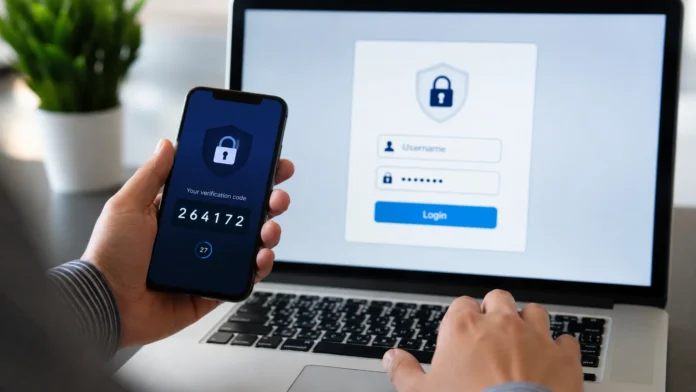

What Is Two-Factor Authentication and How Does It Work?
Passwords are still the first line of defense for most online accounts, but relying on a password alone is no longer enough. Data breaches, phishing attacks, credential stuffing, and weak or reused passwords can allow cybercriminals to gain access to personal and business accounts. Two-factor authentication adds another security checkpoint, making it significantly harder for an attacker to log in even when a password has already been exposed.
Two-factor authentication, commonly called 2FA, has become an important part of modern account security. Banks, email providers, social media platforms, cloud applications, online stores, and workplace systems increasingly encourage or require users to activate it. Instead of proving your identity with only something you know, such as a password, 2FA requires a second form of verification before access is granted.
For everyday users, this extra step may involve entering a temporary code, approving a notification on a trusted device, scanning a fingerprint, or using a physical security key. The process usually takes only a few seconds, yet it creates an additional barrier between your private information and someone attempting unauthorized access. This balance between convenience and stronger protection is why two-factor authentication has become so widely adopted.
Understanding what two-factor authentication is and how it works can help you make better decisions about protecting your digital life. Whether you are securing an email account, online banking profile, business dashboard, or social media page, knowing the different authentication methods and their strengths can reduce your exposure to common cybersecurity threats and improve your overall account security.
What Is Two-Factor Authentication?
Two-factor authentication is a security method that requires users to provide two different types of authentication before gaining access to an account, device, or online service. The first factor is usually a username and password, while the second factor verifies identity in another way. Because two separate proofs are required, stealing only one credential is generally not enough for an attacker to successfully access the protected account.
The idea behind 2FA is based on using independent authentication factors. These are commonly grouped into something you know, something you have, and something you are. Something you know could be a password or PIN, while something you have might be a smartphone or physical security key. Something you are refers to biometric information such as a fingerprint, facial recognition, or another unique physical characteristic.
For example, imagine someone discovers the password to your email account through a phishing website. Without two-factor authentication, that password may allow the attacker to immediately sign in. With 2FA enabled, the attacker would also need access to your second authentication factor, such as your authenticator app, smartphone, fingerprint, or hardware security key, making unauthorized entry considerably more difficult.
Two-factor authentication is also different from simply entering two passwords. Two passwords belong to the same category—something you know—so they do not provide two independent authentication factors. True 2FA combines different types of evidence. This layered approach helps reduce the security risks associated with compromised passwords and forms an important part of broader multi-factor authentication strategies.
How Does Two-Factor Authentication Work?
The two-factor authentication process normally begins when you enter your username or email address along with your password. The website or application checks whether those credentials match its stored account information. If your password is correct and 2FA has been enabled, the system does not immediately allow access. Instead, it moves to a second verification stage designed to confirm that the person entering the password is really you.
During this second stage, the service requests another authentication factor. Depending on your account settings, you might receive a one-time code on your phone, generate a code through an authenticator app, approve a login notification, scan your fingerprint, or connect a physical security key. The system then checks whether that second factor is valid before completing the login process and granting access.
Many 2FA systems also consider information about the login attempt, including the device being used, browser, approximate location, or unusual activity. A service may remember a trusted device so that the second factor is not required during every login. However, additional verification may be requested again when you sign in from a new device, change security settings, or perform a particularly sensitive action.
This process creates an additional barrier because an attacker must compromise two separate pieces of authentication information rather than one. A leaked password alone becomes much less useful when another verification step is still required. Although no cybersecurity control provides absolute protection, enabling two-factor authentication can greatly strengthen login security and reduce the likelihood that stolen credentials will result in successful account takeover.
What Are the Main Types of Two-Factor Authentication?
One common form of two-factor authentication uses SMS verification codes. After entering your password, the service sends a temporary numeric code to the mobile number connected with your account. You enter that code on the login screen to complete authentication. SMS-based 2FA is easy to understand and widely supported, although it may be vulnerable to threats such as SIM-swapping, intercepted messages, and sophisticated phishing attacks.
Authenticator apps provide another popular method. Applications such as Google Authenticator, Microsoft Authenticator, and other compatible tools can generate time-based one-time passwords, often known as TOTP codes. These temporary codes typically change every 30 seconds and do not usually depend on cellular service. Because the code is generated on your device rather than delivered through a text message, authenticator apps are generally considered stronger than standard SMS verification.
Another method uses push authentication, where a trusted mobile application sends a login approval request directly to your smartphone. Instead of typing a code, you confirm or reject the attempt from the notification. Some newer systems add number matching or additional context about the login to reduce accidental approvals. Users should never approve unexpected authentication requests, because attackers sometimes send repeated prompts hoping the account owner will eventually accept one.
Physical security keys and passkey-based technologies provide stronger protection against many phishing attacks. A hardware security key can use standards such as FIDO2 or WebAuthn to verify that the login request is coming from the legitimate website before authenticating the user. Biometric authentication—including fingerprints and facial recognition—may also be used as an additional factor depending on the platform, device, and way credentials are securely stored.
Why Is Two-Factor Authentication Important?
The biggest reason to use two-factor authentication is that passwords can be compromised in many different ways. Cybercriminals may obtain credentials through phishing emails, malicious websites, malware, password leaks, data breaches, or social engineering. People also commonly reuse the same password across several websites, which means a breach affecting one service can potentially expose accounts on completely unrelated platforms.
Attackers frequently use a technique called credential stuffing, where stolen username-and-password combinations are automatically tested across many websites. If you reused a compromised password, one leaked credential could put multiple accounts at risk. Two-factor authentication limits the effectiveness of these stolen passwords because attackers still need the additional verification factor associated with each protected account before they can successfully sign in.
2FA is particularly important for accounts that can provide access to other digital services. Your primary email account, for example, may be connected to password reset options for social media, financial services, cloud storage, and workplace platforms. If someone gains control of that email account, they may attempt to reset passwords across multiple services. Adding stronger authentication therefore helps protect not just one account, but potentially your broader digital identity.
Businesses also rely heavily on 2FA and multi-factor authentication security to protect corporate systems, employee accounts, confidential documents, cloud applications, and customer information. Remote working and cloud-based tools have made secure identity verification increasingly important. By requiring more than a password, organizations can reduce the likelihood that a single stolen credential will give an attacker immediate access to sensitive business resources.
Is Two-Factor Authentication Completely Secure?
Two-factor authentication provides much stronger protection than password-only login, but it should not be viewed as completely invulnerable. The security level depends heavily on which second factor you use and how carefully you respond to authentication requests. SMS codes, for example, may be exposed through SIM-swapping attacks, while temporary authentication codes can sometimes be stolen through convincing phishing websites.
Attackers may also use adversary-in-the-middle phishing techniques that imitate a genuine login page and capture both the password and temporary authentication code in real time. If the stolen session information is immediately reused, certain traditional forms of 2FA can potentially be bypassed. This is one reason why phishing-resistant methods, including security keys and modern passkey systems, are increasingly recommended for accounts requiring stronger protection.
Push notification systems face another challenge known as MFA fatigue or push bombing. An attacker who already has your password may repeatedly trigger authentication requests, hoping you approve one because you are distracted or assume the notification is legitimate. Number matching and contextual login information can help reduce this risk, but users should always reject unexpected authentication prompts and consider changing their password when unexplained requests appear.
For the strongest account protection, 2FA should be combined with other cybersecurity practices. Use unique passwords, keep your devices updated, watch for phishing messages, enable account activity alerts, and regularly review recovery options. A password manager can also help generate and store unique credentials. Think of two-factor authentication as one highly valuable security layer rather than a replacement for every other form of online safety.
Two-Factor Authentication vs Multi-Factor Authentication
Two-factor authentication and multi-factor authentication are often used interchangeably, but there is a technical difference between them. Two-factor authentication specifically requires exactly two independent authentication factors. Multi-factor authentication, or MFA, is the broader term describing authentication systems that require two or more factors. Therefore, every true 2FA system is a form of MFA, but an MFA process may sometimes require more than two factors.
For example, entering a password and then providing a fingerprint is two-factor authentication because two different authentication categories are involved. A highly protected system might require a password, hardware security key, and biometric verification. That would be multi-factor authentication involving three factors. The additional factors can provide greater assurance when protecting particularly sensitive accounts, infrastructure, financial information, or privileged administrative access.
In everyday conversations, websites frequently use the term two-step verification even when both steps are not technically separate authentication factors. For instance, entering a password followed by another knowledge-based credential may involve two steps but not necessarily qualify as true 2FA. The distinction matters most in cybersecurity environments where organizations need to understand exactly what kind of identity verification their systems are providing.
For typical users, however, the most important principle is straightforward: avoid relying on a password alone whenever stronger authentication is available. Whether a service describes its feature as 2FA, MFA, two-step verification, or additional login verification, review which authentication methods it supports. When possible, choose options that provide separate factors and stronger resistance against phishing and account takeover attempts.
How to Set Up Two-Factor Authentication
The setup process varies between platforms, but you will normally find two-factor authentication inside an account’s Security, Privacy, Sign-In, or Account Protection settings. After opening the security section, look for options labeled two-factor authentication, two-step verification, multi-factor authentication, or login verification. The service will usually ask you to enter your password again before allowing you to change security settings.
Next, choose the authentication method you want to use. Available options may include SMS codes, authenticator applications, push notifications, passkeys, biometric verification, or hardware security keys. If several choices are offered, an authenticator app or phishing-resistant security method is generally preferable to SMS for important accounts. Follow the platform’s instructions carefully to connect and verify your selected authentication method.
When using an authenticator application, the website will typically display a QR code. Open your authenticator app, add a new account, and scan the QR code. The application then begins generating temporary login codes. The website may ask you to enter one of those codes immediately to confirm that setup has been completed correctly. Never share your setup QR code or secret authentication key with anyone.
Finally, save the backup codes or recovery methods offered during setup. Recovery codes can help you regain access if your phone is lost, damaged, replaced, or unavailable. Store them somewhere secure rather than leaving them in an unprotected note on the same device used for authentication. You should also review your recovery email, trusted phone number, and connected devices to make sure your account can be recovered safely.
Which Two-Factor Authentication Method Is Best?
The best authentication method depends on the account and the level of security you need. For highly sensitive accounts, hardware security keys and phishing-resistant authentication methods are among the strongest available options. They can verify the legitimate website before completing authentication, which makes it much harder for a fake login page to steal information that can later be reused by an attacker.
Authenticator apps offer an excellent balance between security and convenience for many everyday users. They generate temporary verification codes locally, meaning you can often access them without mobile network coverage. They also avoid several weaknesses associated with receiving codes through SMS. For email accounts, cloud services, password managers, and financial platforms, authenticator-based verification is often a worthwhile upgrade when stronger options are supported.
SMS-based two-factor authentication is weaker than some alternatives, but it can still provide meaningful additional protection compared with using only a password. If a website supports only SMS verification, enabling it is generally better than leaving your account protected solely by a password. You can later move to an authenticator app, security key, or another stronger option if the service expands its authentication choices.
Whichever method you choose, usability matters because security features are most effective when people actually keep them enabled. Choose a method you can reliably access, protect the device used for authentication, and configure secure backup options. For particularly important accounts, consider registering more than one secure authentication method so losing a single device does not permanently prevent you from accessing your information.
Common Two-Factor Authentication Mistakes to Avoid
One common mistake is assuming that enabling 2FA means you no longer need a strong password. Your password remains part of the authentication process and should still be unique, difficult to guess, and different from credentials used elsewhere. If attackers obtain your password, they have already defeated one layer of protection and can begin trying to manipulate or bypass your remaining authentication factor.
Another mistake is approving login requests without carefully checking them. If your phone suddenly displays a security prompt and you were not trying to sign in, reject the request. Unexpected verification codes or repeated push notifications may indicate that someone already knows your password. Change the affected password immediately, review recent account activity, and sign out unfamiliar devices where the platform provides those security controls.
Ignoring backup and recovery options can also create problems. People sometimes activate an authenticator app and later replace or lose their phone without transferring their authentication accounts. Without backup codes or another recovery method, regaining access can become difficult. During setup, securely save recovery codes and regularly verify that your backup email address, phone number, and trusted devices remain accurate and accessible.
Finally, never give authentication codes, backup codes, security keys, or account approval requests to another person simply because they claim to represent customer support. Legitimate services should not need your temporary 2FA code to prove your identity through an unsolicited message or phone call. Treat your authentication factors like passwords: keep them private, verify suspicious requests independently, and remain cautious of social engineering attempts.
Benefits of Using Two-Factor Authentication
The most obvious benefit of two-factor authentication is stronger protection against unauthorized account access. Even if an attacker obtains your password, the additional authentication requirement can prevent them from immediately signing in. This makes stolen credentials less valuable and adds crucial protection against common threats including phishing, credential stuffing, password leaks, brute-force attempts, and other forms of account takeover.
2FA can also provide useful warning signs when someone attempts to access your account. Receiving an unexpected authentication code or approval notification may indicate that another person has entered the correct password. That early warning gives you an opportunity to change your password and review account activity before the attacker succeeds in getting past the second security checkpoint.
For businesses, stronger authentication can help protect sensitive data while supporting remote and cloud-based work. Employees often access email, document storage, customer platforms, financial systems, and administrative dashboards from different locations and devices. Requiring additional identity verification reduces dependence on passwords alone and adds another layer of defense if employee credentials are stolen through phishing or compromised devices.
For individuals, the small amount of extra time required during login can protect valuable personal information, conversations, photographs, financial details, and online identities. It is particularly important for email, banking, password managers, social networks, cloud storage, and accounts connected to other services. Enabling 2FA on your most important accounts is one of the simplest practical improvements you can make to your everyday cybersecurity habits.
Final Thoughts
Two-factor authentication strengthens online security by requiring two independent methods of proving your identity. Instead of allowing access based only on a password, it creates another security checkpoint using something you possess, something you are, or another approved authentication factor. This makes successful account compromise considerably harder when passwords are leaked, guessed, stolen, or reused across different websites.
Not every two-factor authentication method offers the same level of security. SMS codes can provide useful additional protection, while authenticator apps can reduce several risks associated with text messages. Hardware security keys, passkeys, and other phishing-resistant authentication technologies can provide even stronger protection against sophisticated attempts to steal login credentials and intercept temporary verification codes.
Strong account security also depends on good habits beyond 2FA. Use unique passwords, consider a password manager, keep devices and applications updated, avoid suspicious login links, and never approve authentication requests you did not initiate. Securely store backup codes and regularly review the devices, phone numbers, email addresses, and recovery methods connected to your most important accounts.
If you have not enabled two-factor authentication yet, begin with accounts that could cause the most damage if compromised. Your main email account, banking services, password manager, cloud storage, social media accounts, and workplace systems are good priorities. A few minutes spent strengthening these accounts can add an important barrier against some of today’s most common cybersecurity threats.
Frequently Asked Questions About Two-Factor Authentication
Is two-factor authentication really necessary?
Yes. 2FA adds an important security layer that can prevent someone from accessing your account even if your password has been stolen. It is especially valuable for email, banking, social media, and business accounts.
Can hackers bypass two-factor authentication?
Some forms of 2FA can be targeted through phishing, SIM swapping, stolen sessions, or fraudulent approval requests. However, 2FA still makes account compromise significantly harder, especially when phishing-resistant security keys or passkeys are used.
Is an authenticator app better than SMS?
Authenticator apps are generally more secure than SMS because their codes are generated locally and are not dependent on the mobile phone network. SMS 2FA can still be useful when stronger authentication methods are unavailable.
What happens if I lose my phone with 2FA enabled?
You may be able to regain access using backup codes, another registered authentication device, a security key, or the service’s account recovery process. Keeping recovery methods updated before losing access is important.
Should I enable two-factor authentication on every account?
Enable it wherever possible, particularly on accounts containing sensitive information or capable of resetting other passwords. Prioritize your primary email, financial services, password manager, cloud storage, social media, and workplace accounts.




