
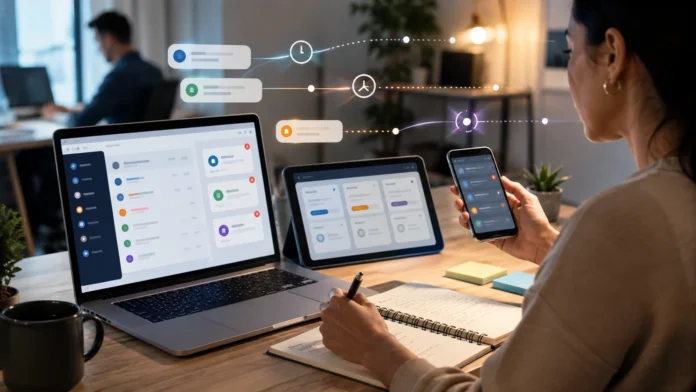

What Does Asynchronous Mean? Simple Tech Examples
Asynchronous means that tasks can start, continue, or finish independently without requiring one operation to completely finish before another can begin. In technology, asynchronous processing allows software to continue doing useful work while waiting for something else, such as a network response, file download, database query, timer, or user action. Instead of freezing the entire program during that wait, the system can move on and return to the unfinished task when a result becomes available. This approach is used throughout websites, mobile apps, APIs, cloud platforms, messaging systems, and distributed software. Understanding asynchronous meaning makes many modern programming and software architecture concepts much easier to follow.
A simple everyday example is sending an email. After pressing send, you do not usually remain on the screen waiting for the recipient to read and respond before doing anything else. You can continue writing another message, browsing the web, or closing the application while the communication happens independently. Technology uses the same general idea when operations do not need to happen in one strictly blocking sequence. Asynchronous systems can improve responsiveness, scalability, and efficiency, although they can also make software harder to reason about. This guide explains what asynchronous means, how it differs from synchronous processing, how asynchronous programming works, and where you encounter it in everyday technology.
What Does Asynchronous Mean in Technology?
In technology, asynchronous describes operations that do not require every task to wait for the previous one to finish before progress can continue. A program may start an operation, temporarily move on to something else, and return when the result becomes available. This is particularly useful when the operation involves waiting rather than intensive computation. Network requests, disk access, timers, user input, and database operations often involve periods where the processor has little useful work to perform for that task. Asynchronous programming allows the application to use that waiting time more efficiently. The key idea is independence between the timing of related operations rather than simply making everything happen at the same moment.
Imagine a restaurant where one waiter takes an order and then stands beside the kitchen until the meal is completely prepared before helping another customer. That resembles a blocking synchronous process because every new task waits for the current one to finish. In an asynchronous approach, the waiter sends the order to the kitchen and immediately serves another table. When the meal is ready, the kitchen signals that it can be collected. The waiter then returns to that earlier task without having wasted time waiting. Software follows a similar pattern by continuing with available work while slow operations complete elsewhere or become ready later.
Asynchronous does not necessarily mean parallel. Two operations can be asynchronous even if only one processor core performs the actual instructions at a particular instant. The program can switch between tasks according to events, timers, or available results while avoiding unnecessary blocking. Parallel processing, by comparison, means operations are genuinely being executed simultaneously using multiple cores, processors, machines, or other computing resources. The two concepts can be used together but solve different problems. Asynchrony is mainly about managing waiting and task coordination, while parallelism is mainly about performing computation at the same time.
The term is also used in communication systems. Asynchronous communication occurs when the sender and receiver do not need to participate at exactly the same moment. Email is an obvious example because the sender can write a message now and the recipient can read it hours later. Team messaging platforms can also work asynchronously when employees respond whenever they become available. Synchronous communication, such as a live phone call, requires both participants to be available together. Software systems use similar principles when messages are queued and processed later instead of requiring an immediate direct response.
Asynchronous behavior is fundamental to modern software because computers constantly interact with resources operating at different speeds. A processor can execute instructions extremely quickly while storage, networks, users, and remote services may take comparatively much longer to respond. Blocking the entire application during each delay would waste resources and create poor user experiences. Asynchronous design gives software a structured way to manage those delays. It allows programs to remain responsive while handling many independent operations. This is why the concept appears so frequently in web development, mobile applications, APIs, cloud computing, and distributed systems.
Asynchronous vs Synchronous: What Is the Difference?
Synchronous processing generally means that one operation waits for another to complete before continuing. The tasks happen in an expected sequence, which can make program behavior straightforward to understand. For example, a program might open a file, read its contents, process the information, and then display the result. If each step blocks until completion, later operations cannot begin early. This can be perfectly appropriate when tasks are fast or when the next step truly depends on the result of the previous one. Synchronous programming is not automatically inefficient; it simply uses a more sequential execution model.
Asynchronous processing allows the program to start an operation and continue with other work before that operation finishes. Suppose a mobile application requests data from a remote server. A synchronous design might freeze the user interface until the server responds, making the application appear broken on a slow connection. An asynchronous design sends the request and keeps the interface responsive. When the response arrives, the software processes the returned information and updates the screen. The user can therefore scroll, navigate, or perform other permitted actions while the network operation is happening.
The difference can also be understood through communication. A video meeting is synchronous because everyone generally needs to participate at the same time for the conversation to work normally. Email is asynchronous because people can send and respond according to their own schedules. Neither method is universally better. A live meeting can resolve complex issues quickly, while email allows people to communicate across time zones without coordinating calendars. Software architecture follows the same principle: synchronous interaction is useful when immediate coordination matters, while asynchronous interaction works well when waiting can be separated from other work.
Synchronous code is often easier to read because its order resembles the way people naturally describe a process. Step one happens, then step two, and then step three. Asynchronous code can involve events, callbacks, promises, tasks, message queues, or other mechanisms that change when later actions occur. Modern programming languages provide features that make asynchronous code easier to write, but developers still need to understand timing and failure conditions. Two operations may finish in a different order from the one in which they started. That flexibility provides performance and scalability benefits while introducing additional reasoning challenges.
Choosing between synchronous and asynchronous behavior should therefore depend on the task. If an operation is quick and the next step cannot proceed without it, synchronous execution may be perfectly suitable. If the program needs to wait for a network, storage device, user, external API, or long-running background process, asynchronous design can prevent wasted time and blocked resources. Many real applications combine both approaches. Some internal calculations run synchronously while external operations are handled asynchronously. Good architecture uses each model where its characteristics provide the most practical benefit.
How Asynchronous Processing Works
Asynchronous processing typically begins when software starts an operation that may take some time to complete. Instead of stopping the entire execution flow, the program records that the operation is pending and continues with other work. The pending task may involve downloading information, waiting for a timer, reading storage, or communicating with another service. When the requested result becomes available, the runtime or operating system generates some form of notification. The program can then resume the relevant logic and process the outcome. This general pattern appears in many programming environments even though the exact syntax and implementation differ.
Events are one common mechanism for coordinating asynchronous behavior. Software can register instructions that should run when something happens, such as a button click, incoming message, completed network request, or timer expiration. The program does not need to check continuously every fraction of a second whether the event has occurred. Instead, the runtime detects the event and schedules the associated code. This model is particularly common in graphical interfaces and JavaScript applications. Event-driven programming allows software to spend most of its time responding to relevant activity instead of blocking while waiting for one specific action.
Callbacks are another traditional asynchronous technique. A callback is a function provided to an operation with the expectation that it will be called later when the work completes or an event occurs. For example, an application may request a file and provide one function to process the contents once reading finishes. Callbacks are flexible but can become difficult to follow when many asynchronous operations depend on one another. Deeply nested callbacks can create complicated code structures that developers sometimes describe as callback hell. Modern language features often provide cleaner abstractions while preserving the same underlying idea of continuing work after a later result.
Promises and futures represent values that may not be available yet but are expected to become available in the future. Instead of receiving the result immediately, the program receives an object representing the pending operation. Developers can attach logic describing what should happen when the operation succeeds or fails. This structure makes asynchronous chains easier to manage than deeply nested callbacks in many situations. Different programming languages use different names and syntax, but the concept is similar. The program holds a reference to future completion rather than blocking until the value exists.
Async and await syntax provides an even more readable way to work with asynchronous operations in many modern languages. Developers can write code that looks relatively sequential while the runtime still avoids unnecessary blocking behind the scenes. An await expression typically pauses the current asynchronous function until a particular result becomes available without necessarily freezing the entire application thread or runtime. Other tasks can continue during that period. When the awaited operation finishes, execution resumes from the appropriate location. This approach has made asynchronous programming much easier to understand, although developers still need to manage errors, concurrency, cancellation, and shared state carefully.
Asynchronous Programming in Web and Mobile Apps
Web browsers depend heavily on asynchronous behavior because users expect pages to remain responsive while network requests and other operations occur. When a website loads additional products, retrieves search suggestions, or submits a form, the browser can communicate with remote servers without freezing the entire page. JavaScript commonly uses asynchronous APIs for these tasks. A network request can begin while the user continues scrolling or interacting with other page elements. When the server responds, JavaScript processes the returned information and updates the interface. This behavior is one of the foundations of modern interactive websites and web applications.
JavaScript provides a particularly familiar example because browsers use an event-driven execution model. The main JavaScript thread handles code and user-interface tasks, while many waiting operations are managed through browser or runtime APIs. When those operations complete, related callbacks or promise continuations can be scheduled for later execution. Developers commonly use async, await, and promises to express this behavior. The result is an application that can start network requests, timers, and other tasks without blocking every interaction. Understanding the event loop is therefore an important part of becoming comfortable with asynchronous JavaScript.
Mobile applications use asynchronous programming for similar reasons. A smartphone app may need to retrieve account information, download images, access local storage, determine location, or synchronize messages. Performing these tasks synchronously on the main user-interface thread could make animations stop and buttons become unresponsive. Mobile frameworks therefore encourage developers to move slow operations away from the UI flow or execute them asynchronously. The application can display a loading indicator, cached content, or other interface elements while waiting. When the result arrives, the screen updates without having appeared frozen throughout the delay.
Image loading provides an everyday mobile example. A social media application may initially display text and placeholder shapes while photographs are still downloading. Each image can arrive independently because network speed and server response times vary. The application does not need to wait until every image is available before showing anything. It renders useful content first and fills in the remaining elements as they arrive. This asynchronous design makes the application feel faster even when the total download time has not changed. Perceived performance often improves when software allows users to make progress instead of blocking the entire experience.
Search suggestions demonstrate another common example. As a user types characters into a search field, the application may send asynchronous requests to retrieve possible matches. The user can continue typing while earlier requests are still in progress. Developers need to handle the possibility that responses arrive in a different order from the requests that created them. Otherwise, an old response could overwrite more recent suggestions. This illustrates both the power and complexity of asynchronous programming. The application feels immediate and responsive, but the code must account for timing, cancellation, and results that may no longer be relevant.
Asynchronous APIs, Messaging and Distributed Systems
APIs frequently use synchronous request-response communication when a client needs an immediate answer. A mobile app sends a request to retrieve an account balance, for example, and waits for the response before displaying the number. However, not every operation can or should finish within one short request. Generating a complex report, processing a large video, importing thousands of records, or running an analytics job may take several minutes. An asynchronous API can accept the request, return confirmation that the work has started, and allow the client to check the status or receive notification later. This prevents long-running operations from tying up connections unnecessarily.
Message queues are widely used to create asynchronous communication between software services. A producer sends a message describing work that needs to happen, and the queue stores that message until a consumer is ready to process it. The producer does not necessarily wait for the consumer to complete the job immediately. This separation can improve resilience because temporary failure or overload in the consumer does not automatically stop the producer. Messages can remain queued until capacity becomes available. Systems using this architecture can absorb sudden traffic spikes more smoothly than designs where every service must respond immediately.
Consider an online store after a customer places an order. The checkout service may need to confirm the purchase quickly, but sending confirmation email, updating analytics, notifying a warehouse, and generating internal records do not all need to block the customer’s screen. The system can publish asynchronous messages describing the completed order. Different services then process those messages independently. The customer receives a fast checkout response while additional work continues in the background. If the email service is temporarily unavailable, the order itself does not necessarily need to fail.
Event-driven architecture expands this idea by designing systems around events representing meaningful changes. An event might say that an account was created, payment succeeded, shipment left the warehouse, or sensor reading exceeded a threshold. Interested services subscribe to the event and react independently. One event can trigger several workflows without the original producer knowing every consumer that will use it. This reduces direct coupling between services and can make complex platforms more flexible. However, teams need strong monitoring because failures may occur in background processes that users never see directly.
Distributed systems benefit from asynchronous patterns because separate services and machines can fail, restart, or experience network delays independently. Requiring every component to be available at exactly the same moment creates tight dependencies that can reduce resilience. Queues and events allow some work to wait safely when another service is unavailable. The tradeoff is that information may become eventually consistent rather than updated everywhere instantly. Engineers must decide whether this delay is acceptable for each workflow. Financial balances, social notifications, analytics, and inventory information can have very different consistency requirements, so asynchronous architecture should always reflect the business problem.
Background Jobs and Simple Asynchronous Tech Examples
Background jobs are one of the easiest forms of asynchronous processing to recognize. A user starts an operation, but the system performs most of the work outside the immediate request. Uploading a video is a good example because the platform may need to convert the file into several resolutions after the upload finishes. The user does not need to keep one browser request open throughout the entire conversion process. A background worker picks up the task, processes it, and updates the video’s status later. Notifications can tell the user when the content becomes ready.
Email delivery provides another familiar example. When a website sends a password-reset message, the application often does not connect directly to every email system while the user waits. Instead, it places an email task into a queue and returns the webpage response quickly. A separate service processes the queued task and attempts delivery. Temporary email-provider problems can be retried without forcing the user to repeat the original action. This separation improves responsiveness and reliability. The user experiences a simple button click while multiple asynchronous systems work behind the scenes.
File uploads to cloud storage can also use asynchronous workflows after the initial transfer. The file may need virus scanning, thumbnail creation, metadata extraction, format conversion, indexing, and synchronization across storage locations. These tasks can run independently after the user receives confirmation that the upload succeeded. Different workers may handle different stages according to available capacity. If thumbnail creation fails, the system can retry that specific task instead of requiring the entire upload to happen again. Asynchronous processing therefore helps break complicated workflows into manageable steps.
Notifications are commonly asynchronous as well. A banking application may record a transaction first and then send a push notification through a separate service. The financial operation should not depend on whether the user’s phone can receive the notification immediately. The notification can be queued and delivered when the messaging infrastructure becomes available. Social media platforms use similar patterns for likes, comments, follows, and activity alerts. The underlying action is stored first, while notification delivery happens independently. Users receive updates quickly enough for practical purposes without making every action dependent on several external services.
Data analytics provides another important example. Companies frequently collect user events throughout the day and process them asynchronously for reports, recommendations, or business intelligence. Recording a page view should happen quickly, while calculating daily trends can occur later through background pipelines. Large datasets may be processed in batches or streamed continuously according to the system design. Separating analytics from the main user request prevents reporting workloads from slowing the customer experience. This pattern illustrates a broader principle: asynchronous systems are especially useful when work is important but does not need to finish before the user can continue.
Benefits and Challenges of Asynchronous Processing
Responsiveness is one of the biggest benefits of asynchronous programming. Applications can continue reacting to user actions while waiting for slower resources such as networks, storage, or external APIs. This prevents interfaces from appearing frozen during ordinary operations. The total task may still take the same amount of real time, but the user can continue doing useful work instead of waiting passively. Good responsiveness strongly influences perceived software quality. Users often prefer an application that remains interactive during a three-second operation over one that freezes completely for the same three seconds.
Resource efficiency is another important advantage. A server handling synchronous blocking requests may require many threads or processes that spend significant time waiting for external systems. Asynchronous architectures can often serve more concurrent operations with fewer resources because waiting tasks do not occupy expensive execution capacity in the same way. This is especially useful for applications dealing with thousands of simultaneous network connections. The exact performance benefit depends on language, runtime, workload, and architecture. Asynchrony is most effective for operations dominated by waiting rather than pure CPU-intensive computation.
Scalability can improve when work is decoupled through queues and background workers. A sudden burst of ten thousand requests does not always require ten thousand tasks to be processed instantly. The system can accept work quickly, queue it, and process messages at a rate supported by available capacity. Additional workers can be added during heavy demand and reduced later. This architecture smooths traffic spikes and protects downstream services from sudden overload. Cloud platforms often use these patterns to build systems that scale gradually according to workload rather than requiring every component to grow simultaneously.
Complexity is the major tradeoff. Asynchronous systems can be harder to understand because tasks may complete in unpredictable order, fail independently, or retry after delays. Debugging one user action can require tracing events across several services and queues. Developers also need to handle duplicated messages, lost connections, cancellation, timeouts, and partial success carefully. A simple sequential process can become unnecessarily complicated if asynchronous architecture is introduced where it is not needed. Teams should therefore adopt asynchrony because the problem benefits from it, not merely because asynchronous technology sounds modern.
Testing and observability become especially important in asynchronous systems. A background job may fail minutes after the user who triggered it has already closed the application. Without good logs, metrics, traces, and alerts, teams may never notice the problem until customers complain. Tests should cover retries, delayed messages, duplicate delivery, timeouts, and dependency failures. Monitoring should reveal queue backlogs and processing errors before they become serious. Asynchronous architecture can create resilient software, but only when engineers can see what is happening across tasks that no longer occur within one simple request.
Asynchronous Programming Best Practices
Developers should use asynchronous processing for operations that genuinely involve waiting or independence. Network calls, file operations, timers, message queues, and long-running external work are strong candidates. Small calculations that complete immediately may gain nothing from additional asynchronous complexity. Introducing tasks, callbacks, and synchronization around trivial work can make code harder to maintain without improving performance. The first question should therefore be whether the program needs to wait for something. If not, straightforward synchronous code may remain the clearest solution.
Error handling needs deliberate design because asynchronous failures can occur far away from the original operation. A queued task may fail after the user has already received confirmation that processing started. Applications should distinguish between accepted work and completed work so users are not told that something succeeded before the important outcome actually exists. Retries can help with temporary failures, but they should have limits and appropriate delays. Permanent errors need escalation or dead-letter handling rather than being retried forever. Clear status tracking makes asynchronous workflows easier for both users and operators to understand.
Idempotency is an important concept when tasks may be retried. An idempotent operation can be executed more than once without producing unintended duplicate outcomes. For example, retrying a payment-processing message should not accidentally charge the customer twice. Systems can use unique transaction identifiers and stored processing state to recognize previously completed work. This becomes essential because network failures can create uncertainty about whether an earlier request succeeded. Designing for safe repetition makes asynchronous messaging much more reliable.
Timeouts and cancellation should also be considered. An application should not wait indefinitely for an external service that may never respond. Timeouts establish a limit after which the operation is treated as failed or unavailable. Cancellation allows work to stop when the result is no longer useful, such as when a user leaves a search screen before an old request completes. These controls protect resources and prevent outdated results from affecting current application state. Developers should choose timeout values based on realistic system behavior instead of applying one arbitrary number everywhere.
Finally, asynchronous systems need strong observability and clear ownership. Teams should monitor queue length, processing latency, failure rates, retry counts, worker capacity, and other signals appropriate to the architecture. Correlation identifiers can connect a user request with later background operations across several services. Dashboards and alerts should distinguish ordinary temporary delays from genuine operational problems. Documentation should also explain which component owns each stage of the workflow. Asynchronous software becomes much easier to operate when teams can trace what happened from the initial request through final completion.
Conclusion
Asynchronous means that an operation can begin without forcing everything else to wait until that operation is completely finished. Software uses this approach whenever tasks involve network delays, storage access, user input, timers, background jobs, or communication between independent services. Instead of blocking the entire application, the system continues with other useful work and returns when the result becomes available. This simple concept helps explain why modern websites remain responsive while loading data and why cloud platforms can process enormous numbers of independent tasks. Asynchrony is fundamentally about coordinating work without unnecessary waiting.
The difference between synchronous and asynchronous processing comes down largely to timing and dependency. Synchronous operations usually occur in sequence, with later work waiting for earlier work to complete. Asynchronous operations allow progress to continue while one task is pending. Neither model is universally superior because certain processes benefit from straightforward sequencing. Good software often combines both approaches, using synchronous execution for immediate calculations and asynchronous execution for slower external operations. The right choice depends on whether waiting should prevent other useful work from happening.
Modern programming languages make asynchronous development easier through callbacks, promises, futures, events, and async/await syntax. These tools allow developers to represent work that will finish later without freezing the application. Web browsers use asynchronous JavaScript for network requests and interface events, while mobile apps use similar techniques to keep screens responsive. APIs may return job identifiers for long-running work, and distributed systems can use message queues to separate producers from consumers. The underlying mechanisms vary, but the goal remains consistent: allow tasks to progress independently when immediate completion is unnecessary.
Asynchronous architecture provides important benefits in responsiveness, scalability, and resource efficiency. Servers can support large numbers of concurrent network operations, background workers can smooth sudden workload spikes, and applications can respond to users while slower tasks continue. The tradeoff is greater complexity because operations can finish in unexpected orders or fail after the original request has ended. Developers need to manage retries, duplicate messages, timeouts, cancellation, and partial failures carefully. Observability becomes especially important because problems may be distributed across several services rather than appearing in one simple execution path.
Ultimately, asynchronous technology is one of the foundations of modern computing because real systems constantly wait for things that operate at different speeds. Users, networks, databases, storage systems, external APIs, and cloud services cannot all respond instantly or simultaneously. Asynchronous design gives software a practical way to remain productive during those delays. Once you understand this idea, concepts such as async/await, event loops, message queues, background jobs, promises, and event-driven architecture become much easier to understand. The simplest definition remains the most useful: asynchronous means work does not always have to wait in one strict line.
Frequently Asked Questions About Asynchronous Technology
What does asynchronous mean in simple terms?
Asynchronous means a task can start without forcing everything else to wait until it finishes. The program can continue with other work and return to the original task when its result becomes available.
What is an example of asynchronous processing?
Sending an email is a simple example because you can continue doing other things without waiting for the recipient to read and respond. In software, downloading data in the background while a user continues interacting with an app is another common example.
What is the difference between synchronous and asynchronous?
Synchronous operations normally wait for one task to complete before the next continues. Asynchronous operations allow other work to continue while one task is still waiting or processing.
Is asynchronous the same as parallel?
No. Asynchronous refers mainly to coordinating tasks without unnecessary waiting, while parallel processing means tasks are actually executing at the same time using multiple computing resources. A system can use either concept separately or combine both.
Why is asynchronous programming useful?
Asynchronous programming can keep applications responsive, improve resource efficiency, support many concurrent operations, and make distributed systems more scalable. It is particularly useful for network requests, file access, APIs, messaging, and other tasks involving significant waiting time.




