
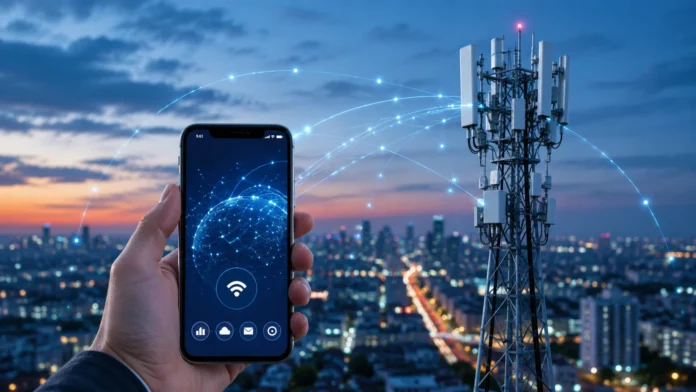

Mobile Data: What It Is & How It Actually Works
Mobile data is the internet connection your smartphone, tablet, smartwatch, hotspot, or other cellular device uses when it is not connected to Wi-Fi. Instead of sending internet traffic through a home router or office network, mobile data travels wirelessly between your device and a nearby cellular network. This connection makes it possible to browse websites, stream videos, send messages, use navigation, check email, join video calls, and access cloud applications almost anywhere cellular coverage is available. Technologies such as 4G LTE and 5G have made mobile internet fast enough to handle tasks once associated mainly with fixed broadband. However, speed and reliability still depend on coverage, congestion, signal quality, network technology, and your mobile plan.
Understanding how mobile data works is useful because nearly every modern smartphone depends on it throughout the day, often without the user noticing. Apps can exchange information in the background, photos may automatically upload to cloud storage, navigation services constantly retrieve map information, and social platforms preload images and videos. Your SIM or eSIM identifies your subscription, nearby cell towers provide radio access, and the carrier’s network connects your device with the wider internet. Data usage is normally measured in megabytes or gigabytes, and some plans reduce speeds or charge additional fees after particular thresholds. This guide explains what mobile data is, how cellular internet actually reaches your phone, how 4G and 5G differ, what uses data, and how to manage mobile connectivity effectively.
What Is Mobile Data and What Does It Do?
Mobile data is digital information transferred between your device and the internet through a cellular network operated by a mobile carrier. Whenever you open a website, refresh a social media feed, stream a song, download an attachment, or send an online message without Wi-Fi, mobile data is usually involved. Your phone converts the requested information into packets that can travel through the cellular network and eventually reach internet services. Responses then return through the same broader network path until they reach your device. This happens extremely quickly, which is why most users experience mobile data simply as “the internet.” Behind that simple experience is a large system of radio networks, carrier infrastructure, routing equipment, and data centers.
The term mobile data does not refer only to information stored on your phone. It specifically describes the network service used to send and receive internet traffic over the cellular connection. Turning off mobile data does not delete your photos, apps, messages, or documents already stored on the device. Instead, it prevents most applications from using the carrier’s internet connection until you reconnect to Wi-Fi or enable mobile data again. Traditional cellular voice calls may still work depending on the network and device configuration. Text messaging behavior can also vary because SMS and internet-based messaging services use different technologies.
A SIM card or eSIM plays an important role in mobile connectivity by helping the network identify your subscription. The SIM contains information that allows your device to authenticate with the carrier and receive access according to your mobile plan. A physical SIM performs this function through a removable card, while an eSIM stores subscription information electronically within compatible hardware. Once authentication succeeds, the network knows which services and data policies apply to your connection. This can include domestic data allowances, roaming permissions, network priorities, and other carrier-specific settings. The SIM does not itself provide internet access; it provides the identity needed to use the carrier’s network.
Mobile data can support far more than smartphone browsing. Cellular-connected tablets can access cloud applications while traveling, smartwatches can receive notifications independently from a phone, and vehicles can use mobile networks for navigation, entertainment, diagnostics, and connected services. Dedicated hotspots turn cellular connections into local Wi-Fi networks for laptops and other devices. Industrial and Internet of Things equipment may also use cellular data for sensors, tracking, monitoring, and remote control. The same fundamental idea applies across these examples: a device communicates through radio technology with a cellular network and uses that network to reach remote services. Different devices simply generate different amounts and types of traffic.
Whether mobile data works well depends on several conditions that users do not always control. A strong signal usually improves the connection, but signal strength alone does not guarantee high speed if the local cell is congested. Network technology matters because older cellular generations generally provide less capacity and lower performance than newer systems. Building materials, terrain, distance from network infrastructure, weather-related disruptions, and carrier coverage can also influence connectivity. Your plan may impose speed limits or deprioritize traffic after heavy usage. Mobile data is therefore a shared network service whose performance changes according to both radio conditions and how the carrier manages available resources.
How Mobile Data Actually Works
When mobile data is enabled, your phone searches for an available cellular network that matches its SIM or eSIM subscription. The device establishes a radio connection with nearby network equipment using supported frequency bands and cellular technologies. It does not necessarily connect to the physically closest tower because signal quality, network configuration, capacity, and antenna coverage all influence which cell serves the device. As you move, the network can hand your connection from one cell to another so internet access continues. This mobility is one of the defining features of cellular networks. You can travel across a city while your phone repeatedly changes network connections without requiring you to reconnect manually.
Suppose you open a browser and visit a website while using mobile data. Your phone sends the request as digital packets through its radio connection to the cellular network. Carrier infrastructure then transports those packets through its internal network toward the internet, where routing systems direct them to the server hosting the requested website. The server responds with the page information, and those packets travel back through internet and carrier networks until they reach your phone. Your browser assembles the returned data into text, images, scripts, and other visible content. A similar process occurs when using streaming apps, cloud storage, online games, email, and most other internet-connected applications.
Cell towers are important, but a mobile network consists of much more than towers alone. Antennas and radio equipment handle communication with devices, while the carrier’s core network manages authentication, mobility, routing, policies, and connectivity with other networks. Fiber-optic links, microwave connections, data centers, routing infrastructure, and software-controlled systems help move traffic between radio sites and the wider internet. Modern cellular networks also rely heavily on virtualization and cloud-style computing to manage services efficiently. This means the visible tower beside a road is only one piece of a much larger communications system. Internet performance depends on that entire chain working together effectively.
Cellular networks divide geographic areas into cells so wireless spectrum can be reused efficiently across different locations. Each cell serves devices within a particular coverage area and shares available radio capacity among connected users. In densely populated cities, carriers may deploy smaller cells to increase capacity, while rural areas may rely on larger cells covering much greater distances. As more devices become active within the same area, they compete for limited radio resources. This is why mobile speeds can fall dramatically during concerts, sporting events, commuting periods, or other situations where thousands of people use the same nearby network infrastructure. Network congestion can affect performance even when your phone displays excellent signal strength.
Your phone continuously exchanges control information with the cellular network even when you are not actively browsing. The network needs to know enough about the device’s location and connection state to deliver incoming communication and maintain service as you move. Applications may also generate background internet traffic for notifications, synchronization, email, cloud backups, software updates, and content refreshes. Modern phones use power-management techniques so the cellular radio does not operate at maximum activity constantly. However, poor signal conditions can sometimes increase battery consumption because the device must work harder to maintain communication. Mobile data therefore involves both visible user activity and background network processes that occur automatically.
4G, LTE, 5G and What Controls Mobile Data Speed
4G significantly changed mobile internet by providing faster and more efficient packet-based connectivity suitable for streaming, video calling, social media, and increasingly complex mobile applications. LTE became one of the most widely recognized 4G technologies and remains important in many networks even as 5G expands. A good LTE connection can handle most everyday smartphone tasks comfortably, including high-quality music and video. Real-world performance varies widely because carriers use different spectrum, network configurations, and capacity levels. A phone displaying 4G or LTE may therefore achieve very different speeds in two locations. The network-generation symbol provides useful context, but it should not be interpreted as a guaranteed performance number.
5G is the newer generation of cellular technology designed to provide greater network capacity, lower latency in suitable conditions, and potentially much higher speeds. However, “5G” describes a family of deployments rather than one identical experience everywhere. Some 5G networks use lower-frequency spectrum that provides broad coverage but may deliver speeds similar to strong 4G connections. Mid-band spectrum can provide an effective combination of capacity, speed, and coverage, while very high-frequency deployments can deliver exceptional performance over shorter distances. Device compatibility also matters because phones must support the specific frequency bands and network features being used. A 5G icon alone therefore does not guarantee gigabit-speed internet.
Signal strength affects mobile data because weaker radio conditions can require the network and phone to use more robust but less efficient communication methods. Walls, underground rooms, elevators, hills, dense buildings, and distance from antennas can reduce signal quality. Different frequency bands also behave differently, with lower frequencies generally traveling farther and penetrating structures more effectively than many higher-frequency signals. This creates tradeoffs between coverage and available capacity. Moving a few meters toward a window can sometimes improve performance significantly indoors. In other situations, no amount of repositioning will help if the local network is heavily congested or the carrier simply has limited coverage.
Network congestion is one of the largest reasons real-world mobile speed changes during the day. Cellular bandwidth is shared among active users within a coverage area, so thousands of simultaneous downloads and video streams can place significant pressure on available capacity. Carriers manage this traffic through scheduling, network optimization, additional spectrum, and deployment of more cell sites. Some mobile plans may also receive different priority levels during congestion depending on service terms. A speed test performed at 3 a.m. can therefore produce dramatically different results from one performed at 6 p.m. in the same location. This variability is a normal characteristic of shared wireless networks rather than necessarily indicating a defective phone.
Latency also affects how fast mobile data feels even when download speeds are high. Latency measures how long it takes information to travel between your device and a remote system and receive a response. Web browsing, online gaming, video calls, and remote applications can feel sluggish when latency is high because interactions involve repeated back-and-forth communication. 5G can reduce latency in suitable network conditions, although the final result also depends on internet routing and the server being contacted. Download speed, upload speed, latency, packet loss, and stability all contribute to perceived performance. Focusing on only one headline speed number can therefore give an incomplete picture of connection quality.
How Mobile Data Usage, Plans and Limits Work
Mobile carriers usually measure internet usage in units such as megabytes and gigabytes. Every time your device downloads or uploads information through the cellular network, some portion of your allowance may be consumed depending on your plan. Text-heavy web pages generally use relatively little data, while high-resolution video can consume large amounts quickly. Video calls, cloud backups, large file transfers, app downloads, and operating-system updates can also produce significant usage. Music streaming normally uses less data than video but can still accumulate over many hours. Understanding which activities are data-intensive makes it easier to choose an appropriate plan and avoid unexpected limitations.
An “unlimited” mobile data plan does not always mean every type of traffic remains completely unrestricted forever. Some plans provide unlimited general usage but reduce speeds after a particular amount of high-speed data has been consumed. Others may deprioritize heavy users during periods of network congestion or restrict hotspot usage separately. Video streaming quality can also be managed differently depending on plan terms. Consumers should therefore examine how the carrier defines unlimited service rather than relying solely on the marketing label. The practical experience may still be excellent, but understanding thresholds helps explain why performance can change after heavy monthly usage.
Smartphones usually provide built-in tools for reviewing data consumption by individual application. These settings can reveal whether video apps, social media, browsers, navigation, cloud storage, or background services are using the largest amounts. Some operating systems also allow users to restrict background cellular data for specific applications. Data-saving modes may reduce automatic downloads, image quality, synchronization frequency, or other nonessential network activity. These features are especially useful when traveling or using a small monthly allowance. Monitoring usage over several billing cycles provides a much more realistic estimate of your needs than guessing based on occasional activity.
Background data can consume more of an allowance than users expect because applications frequently communicate even when they are not open on screen. Email apps check for new messages, cloud platforms synchronize files, social networks retrieve notifications, and photo services may upload newly captured images. Automatic application and operating-system updates can be particularly large. Many devices are configured to prefer Wi-Fi for major updates, but users should confirm these settings when data is limited. Restricting every background process is not always desirable because it can delay important notifications. The goal is controlling unnecessary traffic while keeping the services you actually depend on working normally.
Data counters on your phone and your carrier’s billing system may not always display exactly the same amount. The device estimates usage locally, while the carrier measures traffic within its own network according to billing rules and cycles. Reset dates, rounding, excluded traffic, dual-SIM usage, and reporting delays can create differences. When avoiding additional charges matters, the carrier’s official account information should generally be treated as the authoritative source for the plan. Setting alerts before reaching your monthly limit can provide useful protection. Users on prepaid or capped plans should be especially attentive when streaming video or sharing mobile data with other devices.
Mobile Data vs Wi-Fi, Hotspots and Roaming
Mobile data and Wi-Fi both connect devices to the internet, but they use different network infrastructure. Mobile data communicates through a cellular carrier, while Wi-Fi normally connects your device to a nearby router or access point. That router then reaches the internet through broadband such as fiber, cable, DSL, or another connection. Wi-Fi often provides higher or more predictable data allowances at home, while mobile data provides mobility across much larger geographic areas. Smartphones automatically switch between these connections depending on settings and availability. Understanding which connection is active can help explain differences in speed, billing, and privacy.
When your phone connects to trusted Wi-Fi, most ordinary internet traffic normally uses Wi-Fi rather than consuming the mobile data allowance. However, certain devices can automatically use cellular data when Wi-Fi performance becomes poor, depending on operating-system settings. This feature can maintain connectivity but may consume mobile data without the user immediately realizing it. Turning off mobile data completely prevents this fallback behavior. Travelers with limited allowances may prefer stricter controls, while users on generous plans may appreciate seamless switching. Connection indicators near the top of the screen usually show whether Wi-Fi or cellular networking is currently being used.
A mobile hotspot allows one cellular device to share its internet connection with other nearby devices. Your smartphone can create a Wi-Fi network that a laptop, tablet, or another phone joins, while the smartphone itself sends the resulting traffic through mobile data. This can be extremely useful when working remotely or when fixed Wi-Fi is unavailable. However, laptop activities may consume much more data than ordinary smartphone use because computers can download large updates, synchronize cloud folders, and stream high-resolution media. Carriers may also impose separate hotspot allowances or speed restrictions. Users should therefore monitor tethering carefully when their plan has specific limits.
Roaming occurs when your device uses a mobile network outside the normal coverage arrangement of your primary carrier. Domestic roaming may allow continued service in areas where another network provides coverage, while international roaming allows your phone to connect in other countries when agreements exist. Charges and allowances can vary significantly depending on the plan and destination. Some modern plans include roaming in selected countries, while others charge daily passes or substantial per-unit fees. Turning off data roaming can prevent unexpected international mobile data use. Travelers should review their carrier’s current roaming terms before departure rather than assuming domestic unlimited data automatically applies abroad.
Travelers increasingly use local SIMs, eSIM plans, or international data packages to control roaming costs. An eSIM can make switching between mobile data providers particularly convenient because compatible devices can store more than one subscription electronically. Users may keep their primary number active for messages while selecting another line for mobile data, depending on phone and carrier capabilities. Dual-SIM settings should be reviewed carefully so the desired line handles data traffic. Public Wi-Fi can provide another alternative, but it introduces different security and reliability considerations. Planning connectivity before international travel helps avoid both excessive charges and the inconvenience of having no internet when navigation or communication is needed.
Mobile Data Security, Troubleshooting and Best Practices
Mobile data is generally protected by cellular network security mechanisms between your device and the carrier’s radio network, but that does not make every online activity automatically safe. Websites and applications should still use encrypted connections to protect information as it travels across the wider internet. Phishing, malicious applications, stolen passwords, and compromised online accounts remain threats regardless of whether you connect through 5G, LTE, or Wi-Fi. Multifactor authentication and current software provide important additional protection. Users should also be cautious about installing unknown configuration profiles or applications that claim to improve mobile connectivity. Network security is only one layer of overall device security.
If mobile data suddenly stops working, begin with simple checks before assuming the network or phone has suffered a major failure. Confirm that mobile data is enabled and that airplane mode is not active accidentally. Check whether the device displays usable cellular signal and whether other users on the same carrier are experiencing problems nearby. Restarting the phone can sometimes re-establish network registration after temporary software or radio issues. Users with dual SIMs should confirm the correct line is selected for data. Account-level restrictions or exhausted prepaid balances can also prevent internet access even when the phone shows strong signal.
Poor mobile data speed can result from signal conditions, congestion, plan restrictions, device settings, or network outages. Try moving to another location, especially if you are inside a basement, elevator, or heavily constructed building. Switching airplane mode on briefly and then off can force the device to reconnect to the network, although this should not be treated as a solution for persistent problems. If one application is slow while others work normally, the problem may belong to that application or service rather than the cellular network. Speed testing can provide useful information, but several tests at different times and places offer more insight than a single measurement.
Network settings sometimes become misconfigured, particularly after changing carriers, replacing SIMs, traveling internationally, or modifying device software. Carrier settings and access point information help the phone understand how to connect correctly to mobile data services. Most modern devices configure these details automatically, so manual changes should be made only when instructed by the carrier or device provider. Resetting network settings can solve certain persistent issues but may remove saved Wi-Fi networks and related configuration. Users should understand the consequences before selecting that option. When basic troubleshooting fails, the carrier can check account provisioning and network conditions that are not visible from the phone.
The best mobile data habits combine performance, cost control, battery awareness, and security. Use trusted Wi-Fi for large downloads when practical, review application usage periodically, disable unnecessary background data on limited plans, and understand hotspot and roaming rules before relying on them. Keep the phone and applications updated so connectivity and security improvements are applied. Avoid obsessively forcing 5G when a stable LTE connection already handles your needs efficiently, particularly if battery life matters. Monitor unusual data spikes because they can indicate misconfigured apps or unexpected synchronization. Mobile data works best when users understand that speed, coverage, allowances, and device behavior all interact rather than operating as separate issues.
Conclusion
Mobile data is the cellular internet service that allows phones and other connected devices to reach online services without relying on a nearby Wi-Fi network. Your device communicates wirelessly with cellular infrastructure, while the carrier’s larger network routes internet traffic toward websites, applications, cloud platforms, and other online systems. A SIM or eSIM helps authenticate your subscription, and the network manages your connection as you move between different coverage areas. This process happens continuously and usually without any manual effort from the user. What feels like a simple mobile internet connection is actually the result of radio technology, network routing, authentication, infrastructure, and software working together.
4G LTE and 5G represent important generations of mobile network technology, but the icon displayed on a phone never tells the whole performance story. Signal strength, spectrum, device compatibility, tower capacity, congestion, backhaul infrastructure, plan policies, and internet routing all influence real-world speed. A strong 4G connection can sometimes outperform a congested or low-band 5G connection. Higher download speeds also do not automatically mean lower latency or greater stability. Users should judge mobile connectivity by how reliably it supports their actual tasks. Streaming, browsing, video calling, gaming, and remote work can each respond differently to the same network conditions.
Mobile data usage depends heavily on what applications are doing. Simple messaging and text-based browsing may use relatively little data, while streaming video, hotspot use, cloud backups, software updates, and large downloads can consume gigabytes quickly. Unlimited plans may still contain high-speed thresholds, hotspot restrictions, or traffic-management rules, making the detailed terms worth understanding. Smartphone usage tools can identify which applications consume the most cellular data. Data-saving settings then help users control background activity when allowances are limited. Monitoring usage is particularly valuable during travel or when several devices share one mobile hotspot.
Wi-Fi, mobile data, hotspots, and roaming each provide internet access in different situations. Wi-Fi is usually ideal around homes and workplaces, while cellular data provides mobility when local networks are unavailable. Hotspots extend that mobile connection to laptops and other devices, although they can increase usage substantially. International roaming provides convenient connectivity abroad but may create additional costs unless included in the plan. Local SIMs and eSIMs offer alternatives for travelers who need larger amounts of data. Knowing which connection your device is using helps you manage cost, performance, and availability more effectively.
Ultimately, mobile data works because cellular networks turn radio connectivity into access to the global internet while allowing devices to remain mobile. The technology has advanced enough that smartphones can now stream high-resolution video, participate in meetings, upload large files, and support applications almost anywhere suitable coverage exists. Yet mobile networks remain shared wireless systems, so performance will always vary according to location and demand. Understanding these limitations makes troubleshooting easier and prevents unrealistic expectations about signal icons or advertised maximum speeds. With sensible settings, appropriate plans, secure device practices, and awareness of usage, mobile data provides one of the most flexible ways to stay connected.
Frequently Asked Questions About Mobile Data
What is mobile data in simple terms?
Mobile data is internet access provided through your cellular carrier rather than through Wi-Fi. It allows your phone and other cellular devices to use websites, apps, streaming services, email, and cloud platforms wherever compatible network coverage is available.
Does mobile data use more battery than Wi-Fi?
Mobile data can sometimes consume more battery than Wi-Fi, particularly when the cellular signal is weak and the phone must work harder to maintain connectivity. Actual battery use also depends on the network technology, device, applications, and amount of data being transferred.
What happens if I turn mobile data off?
Most apps will stop using cellular internet and will need Wi-Fi for normal online features. Depending on your carrier and phone configuration, traditional voice calling and SMS may still work even when mobile data is disabled.
What uses the most mobile data?
High-resolution video streaming, video calls, large downloads, cloud backups, software updates, and hotspot use are among the biggest mobile data consumers. Social media apps can also use substantial data when they automatically load large amounts of video content.
Is 5G mobile data always faster than 4G?
No. 5G can provide much higher speeds and greater capacity, but real-world performance depends on spectrum, coverage, congestion, device support, and network infrastructure. A strong uncongested 4G LTE connection can sometimes perform better than a weak or heavily loaded 5G connection.




