
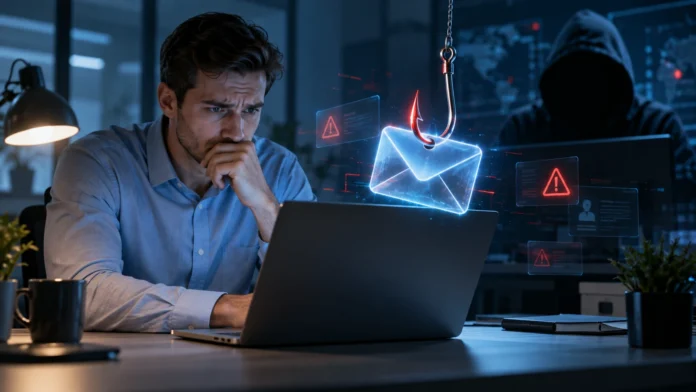

Phishing is one of the most common cyber security threats because it targets people rather than relying only on technical weaknesses. Attackers send fake emails, messages, websites, or other communications designed to look trustworthy so they can trick users into revealing passwords, financial details, personal information, or access to business systems.
Phishing attacks can affect individuals, small businesses, and large organizations. Some campaigns are sent to thousands of people, while others are carefully personalized for a specific employee or executive. Understanding what phishing is, how it works, and how to recognize common warning signs can help reduce the risk of stolen accounts, financial loss, malware infections, and data breaches.
What Is Phishing in Cyber Security?
Phishing in cyber security is a form of social engineering in which attackers pretend to be trusted people or organizations. Their goal is to manipulate users into taking an action that benefits the attacker. That action might involve clicking a malicious link, opening an infected attachment, entering login details, sending money, or sharing sensitive information.
A phishing message may appear to come from a bank, employer, delivery company, cloud service, online store, government agency, or colleague. Attackers often copy logos, writing styles, and website designs to make the communication appear legitimate. Some messages create urgency by claiming an account will be suspended or a payment requires immediate attention.
The effectiveness of phishing depends heavily on human behavior. Attackers use curiosity, fear, authority, urgency, and trust to pressure people into acting before checking the message carefully. This is why phishing remains a serious security problem even when organizations use firewalls, antivirus software, and other technical protections.
How Does a Phishing Attack Work?
A typical phishing attack begins when an attacker creates a convincing message and sends it to potential victims. The message usually contains a reason for the recipient to act quickly, such as verifying an account, reviewing an invoice, resetting a password, or checking an unusual login attempt.
The victim may be directed to a fake website that looks similar to a legitimate login page. If the user enters a username, password, or payment information, those details are sent to the attacker instead of the real company. The attacker may then use the stolen credentials to access email, financial accounts, cloud applications, or business systems.
Other phishing attacks use malicious attachments instead of fake login pages. Opening the attachment may install malware or trigger harmful scripts depending on the file and device configuration. Some attacks simply ask the victim to reply with sensitive information or approve a fraudulent transaction without using any malicious software.
Common Types of Phishing Attacks
Email phishing is the most familiar type and often involves messages sent to large numbers of users. These emails may impersonate banks, technology companies, delivery services, or workplace departments. The goal is usually to persuade recipients to click a link, download an attachment, or provide personal information.
Spear phishing is more targeted. Instead of sending the same message to thousands of people, attackers research a specific employee, department, or organization and create a more convincing communication. They may mention a real colleague, project, supplier, or recent company event to make the message appear authentic.
Whaling is a type of targeted phishing aimed at senior executives or other high-value individuals. Attackers may impersonate lawyers, executives, investors, or business partners and request sensitive information or large financial transfers. Because these attacks can involve detailed research, they may be much harder to recognize than generic phishing messages.
What Is the Difference Between Phishing and Vishing?
Phishing is a broad social engineering technique, but many people associate it primarily with email and fake websites. Vishing uses voice calls instead. Attackers may pretend to represent a bank, support team, government office, or company executive and pressure the victim to reveal sensitive information over the phone.
The psychological tactics are similar in both attacks. Criminals may create urgency, claim there is suspicious activity, threaten account closure, or offer a fake reward. If you want to understand the phone-based version in more detail, learning about vishing in cyber security can help you recognize how voice scams differ from email-based phishing.
Both phishing and vishing rely on trust rather than technical sophistication alone. The safest response is to verify unexpected requests through an independent contact method. Do not rely on the phone number, email address, or link provided in the suspicious message when checking whether the communication is genuine.
Warning Signs of a Phishing Email
Unexpected urgency is one of the most common phishing warning signs. A message may claim your account will be locked, a payment is overdue, or a security problem requires immediate action. Attackers want recipients to react emotionally before they have time to question whether the request makes sense.
Suspicious sender addresses can also reveal phishing attempts. The visible sender name may look familiar while the actual email address contains misspellings, unusual domains, or extra characters. Attackers sometimes use addresses that closely resemble legitimate company domains, hoping users will not notice the small difference.
Poor grammar can be a warning sign, but modern phishing emails are often professionally written. More useful clues include unexpected attachments, unusual login links, requests for sensitive information, and messages that do not match normal business procedures. A convincing design should never be treated as proof that an email is legitimate.
How Fake Phishing Websites Trick Users
Fake websites are designed to copy the appearance of real services. Attackers may recreate familiar login pages for email providers, banks, social media platforms, cloud applications, or online stores. The goal is to make victims feel comfortable enough to enter credentials without carefully checking the website address.
A phishing page may look almost identical to the real website while using a slightly different domain. Attackers can add extra words, replace letters, or use subdomains that confuse users. This is why clicking a login link from an unexpected email is riskier than opening the official website directly through a saved bookmark or known address.
Some fake websites are created only for a short period before being removed or blocked. Others may redirect users to the legitimate website after stealing their credentials, making the victim believe the first login attempt simply failed. This technique can prevent users from immediately realizing that their information has been compromised.
Why Phishing Is Dangerous for Businesses
Businesses are attractive phishing targets because one compromised employee account can provide access to email, customer information, internal documents, cloud platforms, or financial systems. Attackers may use stolen credentials to move further through the organization and target additional employees.
Business email compromise can also lead to direct financial losses. An attacker may impersonate an executive or supplier and request a payment to a fraudulent bank account. Because the email appears to come from a legitimate business relationship, employees may approve the transfer without realizing they are communicating with a criminal.
Phishing can also create reputational and operational problems. A compromised account may be used to send more phishing emails to customers, partners, or coworkers. Organizations may then need to reset accounts, investigate affected systems, notify stakeholders, and respond to possible data exposure.
How to Protect Yourself From Phishing
The most important habit is to slow down before acting on unexpected requests. If a message asks you to log in, send money, download a file, or provide private information, verify the request first. Contact the organization through an official website, known phone number, or trusted internal channel rather than using the contact information inside the suspicious message.
Multi-factor authentication can add another layer of protection when passwords are stolen. Even if an attacker obtains a password, they may still need an additional verification factor before accessing the account. However, users should remain cautious because some advanced phishing attacks are designed to steal session information or trick people into approving login prompts.
Password managers can also help because they usually recognize the correct website domain before filling login credentials. If a password manager refuses to fill details on a page that looks familiar, that can be an important warning. Keeping browsers, operating systems, and security software updated provides additional protection against malicious attachments and known vulnerabilities.
How Businesses Can Reduce Phishing Risk
Employee security awareness training is one of the most useful defenses because phishing specifically targets human decision-making. Training should teach employees how to recognize suspicious requests, verify payment instructions, report questionable messages, and respond appropriately if they accidentally click something harmful.
Organizations should also use technical controls such as spam filtering, email authentication, endpoint protection, and multi-factor authentication. These tools can block many malicious messages before employees see them. No single control stops every phishing attempt, so combining technical safeguards with clear internal procedures provides stronger protection.
Payment and sensitive-data requests should have verification procedures that cannot be bypassed by one email. For example, changes to bank details or unusual transfers may require approval through a separate communication channel. Strong processes reduce the chance that one convincing message can lead directly to a major financial or security incident.
What to Do If You Click a Phishing Link
If you click a suspicious link but do not enter any information, close the page and avoid interacting with it further. If the site attempted to download something, check your downloads and do not open unknown files. Running an approved security scan may also be appropriate depending on your device and workplace procedures.
If you entered a password, change it immediately through the legitimate service. You should also change the password anywhere else you reused the same credentials. Enable multi-factor authentication if it is available, and review recent account activity for unfamiliar logins, messages, or security changes.
Employees should report the incident to their IT or security team as quickly as possible. Early reporting can help the organization revoke sessions, reset credentials, inspect the device, and investigate whether additional accounts were affected. Hiding the mistake usually makes the incident harder to contain and can give attackers more time to act.
How to Report a Phishing Attempt
When you receive a suspicious email, use your organization’s official reporting process if one exists. Many companies provide a phishing-report button in their email software or a dedicated security contact. Reporting allows security teams to investigate the message and block similar attacks targeting other employees.
Individuals can also report phishing messages through the relevant email provider, financial institution, or online service. If an attacker is impersonating a particular company, the legitimate organization may have a security or abuse channel for reporting fake websites and messages.
Do not forward malicious attachments casually when reporting an incident. Follow the recommended process provided by your company or service because forwarding can sometimes expose additional users. Capturing the sender information, subject line, and suspicious website address can help investigators understand the attack without unnecessary interaction.
Phishing Prevention Best Practices
Use unique passwords for important accounts so one stolen credential does not provide access to multiple services. A trusted password manager can generate and store complex passwords without requiring you to remember each one. Reusing the same password across email, banking, and workplace services can turn one successful phishing attack into several account compromises.
Always verify sensitive requests through another communication method. If a manager suddenly asks for gift cards or a supplier changes bank details, contact them using a known phone number or existing internal system. Independent verification is especially important when money, passwords, account access, or confidential information is involved.
Develop a habit of treating unexpected messages as requests to verify rather than requests to obey immediately. This does not mean assuming every email is malicious. It means checking unusual requests before acting, particularly when a message uses urgency, secrecy, authority, or fear to discourage normal verification.
Conclusion
Phishing in cyber security is a social engineering attack designed to trick people into revealing information, opening malicious files, visiting fake websites, or approving fraudulent requests. Attackers often impersonate trusted companies, colleagues, banks, or online services to make their messages appear convincing and urgent.
Recognizing warning signs such as unexpected requests, suspicious links, unusual sender addresses, and pressure to act immediately can reduce the risk of successful attacks. Technical protections such as multi-factor authentication, password managers, spam filters, and endpoint security provide additional layers of defense.
The most effective protection combines technology with careful human behavior. Verify unusual requests independently, avoid sharing sensitive information through unexpected messages, and report suspicious communications quickly. A few extra seconds spent checking an email can prevent stolen accounts, financial loss, malware infections, and larger security incidents.
FAQs
What is phishing in cyber security in simple words?
Phishing is a cyberattack where criminals pretend to be trusted people or organizations to trick victims into sharing passwords, financial details, or other sensitive information or clicking malicious links.
What is an example of phishing?
A common example is an email pretending to come from your bank that claims your account is locked. The message directs you to a fake login page designed to steal your username and password.
What are the main signs of phishing?
Common signs include unexpected urgency, suspicious sender addresses, unusual links, unexpected attachments, requests for passwords or payments, and messages that do not follow normal communication or business procedures.
Can phishing happen without email?
Yes. Social engineering attacks can arrive through text messages, phone calls, social media, QR codes, or messaging applications. Different forms may be called smishing, vishing, or other types of phishing.
What should I do after a phishing attack?
Change exposed passwords immediately, enable multi-factor authentication, review account activity, and report the incident. Employees should contact their IT or security team quickly so affected systems and sessions can be investigated.




