
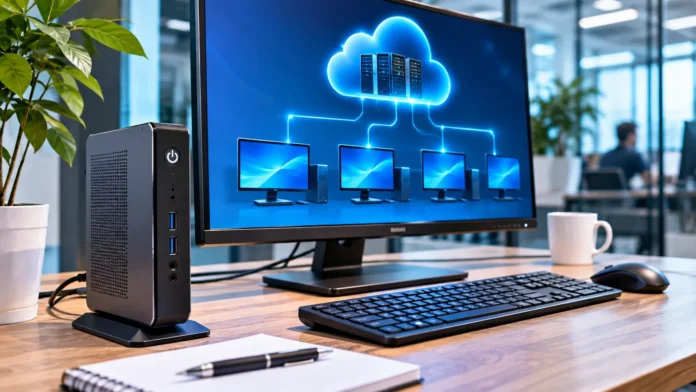

What Is a Thin Client Computer?
A thin client computer is a lightweight computing device that relies on a central server or cloud-based system to perform many computing tasks. Unlike a traditional desktop computer, it usually has limited local storage and processing resources. Users connect to remote applications, desktops, or files through a network. This design makes thin clients useful for businesses, schools, and organizations managing multiple computers.
A thin client looks similar to a small desktop computer but operates differently behind the scenes. It may connect to a monitor, keyboard, mouse, and internet or local network. Instead of running every application locally, it often accesses software hosted on a remote server. This allows organizations to manage important applications and computing resources from a central location.
Thin client computing is commonly used in offices where employees perform similar tasks and need access to shared systems. For example, a customer service employee might use a thin client to access a remote desktop containing business applications. The device displays the desktop while much of the processing happens elsewhere. Understanding this arrangement helps explain why thin clients are different from ordinary PCs.
How Does a Thin Client Computer Work?
A thin client computer works by establishing a connection with a remote server, virtual desktop, or cloud computing environment. When the user signs in, the device connects to a system that provides access to applications and information. The remote system performs many computing operations. The thin client handles the user interface, input devices, and communication with the remote environment.
For example, imagine an employee opening a spreadsheet through a virtual desktop. The employee uses a keyboard and mouse connected to the thin client. The remote computer processes the spreadsheet application and sends visual updates back to the screen. This arrangement allows the employee to work with software without needing the same computing resources locally.
The connection between the thin client and remote environment is usually maintained through specialized communication protocols. These protocols transmit display information, keyboard input, mouse movements, and other necessary data. A reliable network helps maintain a smooth user experience. However, performance also depends on server capacity, application requirements, network conditions, and the capabilities of the device.
Thin Client vs. Traditional Desktop Computer
The main difference between a thin client and a traditional desktop computer is where most computing tasks take place. A desktop computer normally runs applications using its own processor, memory, and storage. A thin client commonly depends on remote computing resources. This difference influences hardware requirements, software installation, maintenance procedures, and the way organizations manage devices.
Traditional desktops are often suitable for people who need powerful local applications or frequent offline access. They can store programs and files directly on their internal drives. Thin clients are commonly better suited to environments with centralized applications and reliable network connections. However, some modern thin clients can also run selected software locally when required.
For example, a graphic designer using demanding local creative software may prefer a powerful workstation. Meanwhile, an office employee who mainly uses remote business applications might work comfortably on a thin client. Neither option is automatically better for every situation. The most appropriate choice depends on application requirements, available infrastructure, performance expectations, and maintenance needs.
Main Components of a Thin Client Computer
A thin client computer contains several familiar hardware components, including a processor, memory, and network interface. However, these components are often selected to support a lightweight operating system and remote computing sessions. Many thin clients use compact designs that occupy little desk space. Their hardware requirements depend on the software and remote connection features they support.
A thin client may contain a small amount of local storage for its operating system, configuration files, and necessary applications. Some models use flash storage, while others offer larger storage options. The device also includes connections for monitors, keyboards, mice, and other peripherals. Modern units may support multiple displays, wireless networking, and various USB accessories.
Networking capability is especially important because thin clients usually depend on communication with remote computing resources. Ethernet connections are common in business environments because they can provide reliable network performance. Some devices also support Wi-Fi for flexible placement. Before purchasing, organizations should confirm that the available hardware supports their display requirements, accessories, and selected remote desktop platform.
Thin Client vs. Zero Client and Thick Client
Thin clients, zero clients, and thick clients are different approaches to delivering computing experiences. A thin client usually runs a lightweight operating system and connects users to remote applications or desktops. It may support several connection methods and limited local functions. The term describes a computing approach rather than one fixed set of hardware specifications.
A zero client is generally designed for a more specialized remote computing environment with minimal local software management. Depending on the product, it may use dedicated firmware instead of a general-purpose operating system. These devices are often associated with particular virtual desktop technologies. However, modern product designs sometimes blur the distinction between zero clients and thin clients.
A thick client, also called a fat client, performs more processing and application work on the local device. Traditional desktop computers are common examples of this approach. Thick clients can offer greater independence from remote infrastructure for locally installed applications. Understanding these differences helps businesses decide whether centralized computing, local processing, or a combination is more appropriate.
Where Are Thin Client Computers Commonly Used?
Thin client computers are widely used in business offices where employees need access to standardized software and shared resources. Customer service departments, administrative teams, and call centers are common examples. Organizations can provide similar desktop environments to many employees. Centralized application management also makes it easier to introduce software changes across supported user groups.
Educational institutions may use thin clients in computer laboratories, libraries, and shared learning environments. Students can sign in and access approved applications through a centrally managed system. This arrangement may simplify maintenance when many computers require similar configurations. However, schools must ensure that their remote infrastructure supports the educational software and number of users involved.
Healthcare organizations, retail businesses, and financial institutions also use thin clients for selected workflows. A hospital employee might access an authorized virtual desktop containing clinical applications. Retail staff may use centrally delivered business systems at designated workstations. The suitability of thin clients depends on performance requirements, security controls, peripheral compatibility, and the reliability of the supporting infrastructure.
Main Benefits of Using Thin Client Computers
One important benefit of thin client computing is simplified device management. IT teams can maintain many applications and user environments through centralized systems rather than configuring every workstation separately. This approach can make software updates and technical support more efficient. It may be especially useful for organizations managing large numbers of devices across multiple departments or locations.
Thin clients can also offer advantages involving physical space and electricity consumption. Many models are smaller and use less power than traditional desktop towers. Their compact construction can help reduce desk clutter and make workstation arrangements easier. However, overall energy savings depend on the complete environment, including servers, networking equipment, and the number of connected users.
Another potential benefit is a longer useful life for certain endpoint devices. When demanding applications run remotely, the local computer may not require frequent hardware upgrades. Organizations can sometimes continue using compatible thin clients while improving central computing resources. Actual savings depend on licensing, infrastructure expenses, maintenance requirements, and how long the devices remain supported.
Limitations and Challenges of Thin Client Computing
One major limitation of thin client computers is their dependence on network connectivity and remote computing services. When the connection becomes unavailable, users may lose access to important applications and files. Slow networks can also create delays in screen updates and user interactions. Organizations should therefore evaluate network reliability before adopting a thin client environment.
Server performance is another important consideration because many users may depend on shared computing resources. If the server lacks sufficient processing power, memory, or capacity, multiple employees could experience slow performance. Resource-intensive applications may require specialized remote infrastructure. Businesses should estimate concurrent user demand and test representative workloads before expanding their deployment.
Thin clients may also create compatibility challenges with certain peripherals, applications, and operating systems. Specialized printers, cameras, scanners, and other devices may need additional configuration. Some software requires hardware features that are difficult to provide through a particular remote desktop setup. Careful testing helps organizations identify these limitations before committing to a large purchase.
Are Thin Client Computers Secure?
Thin client computers can support strong security practices because applications and important data are often managed centrally. In some environments, sensitive files remain on remote servers rather than being stored permanently on individual endpoints. This arrangement may reduce certain risks associated with misplaced devices. However, centralized computing does not automatically guarantee protection against security threats.
Organizations should protect remote sessions through suitable authentication, encryption, and access management controls. Multifactor authentication can provide an additional safeguard for authorized users. IT teams should also keep operating systems, firmware, and remote access software updated. These measures help reduce vulnerabilities and support safer communication between thin clients and their remote computing environments.
Centralized servers also require careful protection because problems affecting shared infrastructure can impact many users. Appropriate backups, monitoring, network security, and recovery procedures remain essential. Administrators should restrict permissions according to job responsibilities and review access regularly. A secure thin client deployment combines endpoint protection with responsible management of the entire computing system.
Network and Server Requirements for Thin Clients
A reliable network is one of the most important requirements for a successful thin client deployment. Devices need dependable connectivity to the systems hosting their applications and desktops. Wired Ethernet is often preferred for fixed office workstations, although suitable wireless connections may also work. The required bandwidth and network quality depend on user activities and remote desktop technology.
Remote servers must provide enough computing resources for the expected number of simultaneous users. Important considerations include processor capacity, memory, storage performance, and application demand. A team performing basic office tasks may need different resources from employees using demanding design software. Organizations should test realistic workloads rather than relying only on advertised maximum user counts.
Businesses also need suitable remote desktop software, licensing arrangements, and user authentication systems. Some deployments use virtual desktop infrastructure, commonly called VDI, while others rely on session-based remote desktops or cloud services. Each approach has different infrastructure and management requirements. Selecting compatible systems helps ensure that thin clients connect reliably and deliver the applications users need.
How to Choose the Right Thin Client Computer
Choosing a thin client computer begins with identifying the tasks users need to complete. Basic office work, remote customer support, and specialized applications may have different hardware requirements. Organizations should confirm compatibility with their preferred operating environment and remote desktop platform. A clear requirements list helps prevent purchasing devices that cannot support important business activities.
Hardware specifications also deserve attention, even though thin clients rely heavily on remote systems. Check the processor, memory, supported monitors, network connections, and available ports. Multiple high-resolution displays or video meetings may require stronger local capabilities. Reviewing these features helps ensure the device provides a smooth experience rather than becoming a performance limitation.
Purchase price should be considered alongside software licensing, technical support, maintenance, and server costs. A low-cost device may not represent good value if it requires expensive changes to existing infrastructure. Businesses should also evaluate warranty coverage and the manufacturer’s support lifecycle. Testing a small number of devices before purchasing in bulk can reduce unnecessary financial risks.
Setting Up and Maintaining a Thin Client Computer
Setting up a thin client normally begins with connecting the monitor, keyboard, mouse, and network connection. The device is then configured to access an approved remote desktop or application environment. Users may need credentials provided by their organization. Exact installation steps depend on the device manufacturer, operating system, and selected remote computing service.
After installation, IT teams should verify that users can sign in, launch applications, and access necessary peripherals. Testing printers, audio devices, webcams, and multiple monitors can reveal compatibility problems early. Administrators should also confirm that security settings and software updates are applied correctly. A successful setup provides reliable access without requiring employees to manage complicated technical configurations.
Ongoing maintenance includes updating supported software, checking connection quality, and monitoring device performance. If users experience delays, administrators should investigate both endpoint conditions and remote server resources. Keeping configuration records can make troubleshooting faster and more consistent. Regular reviews help organizations maintain dependable thin client environments as applications, user needs, and infrastructure change.
Conclusion
A thin client computer is a lightweight computing device that uses remote servers or cloud systems for many application and processing tasks. It provides access to digital work environments through a network connection. Thin clients are commonly used in offices, schools, healthcare facilities, and other managed environments. Their centralized design can simplify device administration and support consistent user experiences.
The advantages of thin client computing include easier management, compact hardware, and potential reductions in endpoint maintenance. However, performance depends on reliable networking and properly configured remote infrastructure. Organizations must also consider application compatibility, security controls, and overall costs. Understanding these factors helps determine whether thin clients are suitable for a particular workplace.
Before choosing a thin client solution, identify the applications, peripherals, and performance requirements users need. Compare compatible devices and evaluate the complete infrastructure rather than focusing only on hardware prices. Testing a small deployment can reveal important limitations before a larger rollout. With appropriate planning, thin clients can provide a practical way to manage everyday computing needs.
FAQs
What Is a Thin Client Computer in Simple Words?
A thin client computer is a small computing device that relies on a remote server or cloud system to run many applications. It allows users to work through a network-connected desktop environment.
What Is the Difference Between a Thin Client and a Normal PC?
A normal PC typically runs applications and stores files locally. A thin client usually depends on remote computing resources, making centralized management easier but increasing reliance on network connectivity.
Can a Thin Client Computer Work Without Internet?
Some thin clients can perform limited local tasks without internet access. However, remote applications require connectivity to their hosting systems, which may be available through a local network rather than the internet.
Are Thin Client Computers Cheaper Than Desktops?
Thin client hardware may cost less than some traditional desktop computers. However, total expenses also include servers, software licenses, networking, and maintenance. The cheaper option depends on the complete computing environment.
What Are Thin Client Computers Used For?
Thin client computers are used for centralized desktop access in offices, schools, hospitals, and customer service centers. They help organizations deliver shared applications and manage multiple workstations through remote computing infrastructure.